Two apps dominate the family locator space in 2026: Life360 and Verizon Smart Family (now officially called Verizon Family). Both promise to tell you where your kids are. Both claim to make teen driving safer. But they are built for very different families — and choosing the wrong one means either paying for features you can't use or missing the ones that matter most.
This guide compares both apps head-to-head on location accuracy, driving safety, geofencing, privacy, and pricing. It's updated with 2026 pricing and includes a 12-month cost worksheet so you can see the true out-of-pocket difference before you sign up.
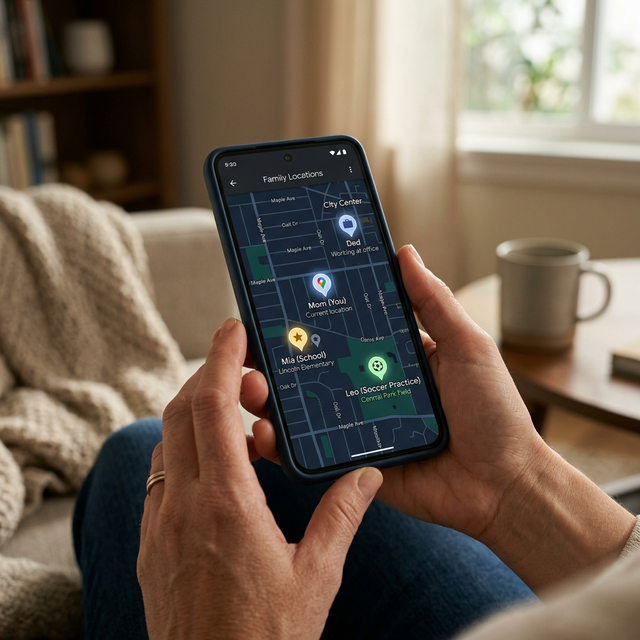 location tracking map on their smartphone" style="width: 100%; height: auto; border-radius: 0.75rem; box-shadow: 0 20px 25px -5px rgba(0, 0, 0, 0.1), 0 10px 10px -5px rgba(0, 0, 0, 0.04); border: 1px solid #1f2937;" />
The peace of mind that comes from knowing exactly where your family is.
Who Should Read Which Section First
Skip straight to what matters for your situation:
Quick Decision Tree
- 1 Your whole family is on Verizon → Jump to Pricing. Verizon Family Plus may be the better value at $10/month on eligible plans. Read the parental controls section before deciding.
- 2 You have a mixed-carrier household (AT&T, T-Mobile, or any MVNO) → Verizon Family is not an option. Jump to Location Features to evaluate Life360.
- 3 You have a teen driver → Jump to Driving Safety. The crash detection difference between these two apps is significant and could be life-critical.
- 4 You have younger kids (under 13) and need screen time controls → Jump to Parental Controls. Verizon Family Plus wins this category outright.
Core Location Features: How They Actually Compare
Live Location Freshness
This is where Life360 and Verizon Family part ways most sharply. Life360 uses a three-source triangulation system — GPS satellites, nearby Wi-Fi networks, and cellular towers — simultaneously. When you actively tap a family member's icon, it streams a live location updated every 2 seconds. In passive background mode, it pings approximately every 10 seconds when movement is detected.
Verizon Family describes its location as "near-real-time" without specifying update intervals. Without the Companion app installed on the dependent's phone, Verizon falls back to network-level cell tower triangulation, which can be off by hundreds of feet to over a mile in areas with sparse towers. Even with the Companion app active, multiple independent reviews and user reports consistently note that Verizon's location lags noticeably compared to Life360.
Winner: Life360. The gap in location freshness is meaningful — not minor — especially if you're trying to verify a teen arrived at school or confirm your child boarded the right bus.
Need More Than Just Location?
Location tracking tells you where they are, but it doesn't tell you what they are looking at or who they are talking to online.
Explore Full Phone Monitoring AppsLocation History Depth
| Plan | Life360 | Verizon Family |
|---|---|---|
| Free / Basic | 2 days | 7 days |
| Mid-tier paid | 7 days (Silver) | 7 days (only tier) |
| Top-tier paid | 30 days (Gold/Platinum) | 7 days (no upgrade) |
Verizon actually wins at the free tier (7 days vs. Life360 Free's 2 days). But if you're paying for a plan, Life360 Gold's 30-day history is meaningfully deeper — useful for reconstructing a route from last Tuesday when your teen was supposed to be at a friend's house.
Place Alerts and Geofencing
Both apps let you draw virtual boundaries around locations — home, school, grandparent's house, a part-time job — and receive a push notification when a family member enters or exits.
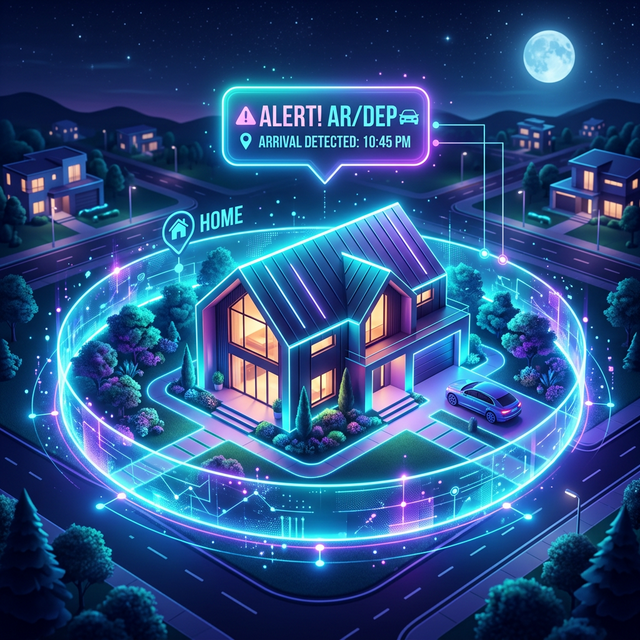
Geofencing allows you to set automated alerts when your child arrives or leaves a specific area.
Life360 calls these "Places." The free plan gives you 2. Silver gives you 5. Gold and Platinum give you unlimited Places with unlimited alerts. Verizon Family offers boundary alerts on both free and Plus tiers, though the free tier limits the number of zones.
In practice, parents who test both apps note that Life360's geofence alerts fire more reliably and with less delay. Verizon Family users on Google Play (1.82 average stars) frequently cite missed or delayed boundary alerts as a persistent frustration. Life360's Google Play rating sits at 4.4 stars across 2.14 million reviews — a stark difference in user-reported reliability.
Battery Impact
Neither app is easy on batteries. Life360's official guidance is approximately 10% additional daily drain. Real-world user reports and independent tests put the number at 15–30% for devices with older or degraded batteries, due to continuous GPS polling and background data transmission.
Verizon Family's battery impact is somewhat lower because it polls less frequently and relies more on network-level data, but that tradeoff comes at the cost of location accuracy. Switching Life360 to "Battery Saving" mode in settings significantly reduces drain while keeping tracking functional — a setting most users don't know exists.
Driving Safety: The Most Important Difference
If you have a teen driver, this section should be the deciding factor in your choice.

Crash detection and driving behavior reports are critical features for families with teenage drivers.
Crash Detection
Both apps detect crashes. That's where the similarity ends.
Life360 (Gold/Platinum): When a crash is detected above 25 mph using the phone's accelerometer and gyroscope, a 24/7 live Emergency Dispatch agent calls your teen within seconds, assesses the situation, and contacts police, ambulance, or fire as appropriate — without you needing to do anything. This feature is available in the US, Canada, UK, Australia, and New Zealand. On the free plan, crash detection sends an alert to Circle members only (no dispatch), which requires a parent to see the notification and call 911 themselves.
Verizon Family Plus: Detects crashes and sends a notification to the parent. That's it. There is no emergency dispatch. If your teen is unconscious or can't speak, the parent receives an app alert and must then call 911 themselves. In the critical first minutes after a crash, this difference is not trivial.
Motor vehicle crashes are the leading cause of death for teenagers in the US. If teen driving safety is your primary concern, Life360 Gold's 24/7 Emergency Dispatch is the most substantive safety feature either app offers.
Driving Behavior Reports
Both apps track speed, hard braking, rapid acceleration, and phone use while driving. Life360 Gold generates individual per-driver reports with scores. Verizon Family Plus provides trip-level reports scored 0–100, processed by Cambridge Mobile Telematics. Both are comparable in this area — the driving insights quality is roughly equivalent.
Parental Controls and Management
This is the starkest functional divide between the two apps. Life360 is a location and safety app. Verizon Family Plus is a parental control platform with location built in.
| Control | Life360 | Verizon Family Plus |
|---|---|---|
| Real-time location | ✅ Best-in-class | ✅ Good |
| Geofencing / place alerts | ✅ Unlimited (Gold+) | ✅ Limited zones |
| Screen time limits | ❌ None | ✅ Yes |
| Website content filtering | ❌ None | ✅ Categories + URLs |
| App blocking | ❌ None | ✅ Yes |
| School / night mode schedules | ❌ None | ✅ Yes |
| Pause internet remotely | ❌ None | ✅ Yes |
| Call/text log monitoring | ❌ None | ✅ Logs (not content) |
| Emergency dispatch on crash | ✅ Gold/Platinum only | ❌ Parent alert only |
| Carrier-agnostic | ✅ Any carrier | ❌ Verizon only |
If your child is under 13 and you want to actively manage their screen time and content exposure — not just know where they are — Verizon Family Plus offers a level of control that Life360 simply does not have. Life360's product philosophy is location-first. It has never offered content filtering, app blocking, or screen time management.
How Easy Is It for Teens to Drop Off the Map?
This is a concern every parent asks about. Neither app is bypass-proof, but they have different vulnerabilities.
Life360 has a well-documented online ecosystem of bypass guides. Teens can use GPS spoofing apps (iAnyGo, iMyFone AnyTo, Tenorshare) to freeze their displayed location at a chosen point while they move freely. Life360 has limited ability to detect these tools. Airplane mode shows an obvious status change and creates gaps in location history, which parents can spot. But GPS spoofing is harder to catch because the app continues to show a "live" location that appears normal.
Verizon Family is slightly harder to silently bypass because enforcement is partly at the carrier network level (not just app-level). If a teen uninstalls the Companion app, the parent receives a notification — which is better than Life360's behavior. However, teens can still disable mobile data and use Wi-Fi only, breaking location tracking. VPN apps can bypass content filters, and Verizon Family can block known VPN apps in response — but this becomes a continuous cat-and-mouse situation.
The honest reality: a motivated 16-year-old can get around either app. The value of both tools is in the open, transparent agreement with a teen who understands why the monitoring exists — not in covert enforcement.
Privacy: What Each App Collects and Who Sees It
Life360 Data Practices
Life360's data practices have received significant scrutiny. In December 2021, The Markup published an investigation revealing Life360 was selling precise location data to approximately a dozen data brokers, generating close to $16 million annually — nearly 20% of its 2020 revenue. Following the public backlash, Life360 stated it would stop selling to most brokers.
However, more recent reporting confirms Life360 has continued selling data: precise location data to Arity, an Allstate subsidiary used for insurance risk scoring, and audience segments through LiveRamp's Data Marketplace starting in August 2024. In 2025, Texas Attorney General Ken Paxton filed a lawsuit against Allstate and Arity for collecting and using driving data from over 45 million Americans, with Life360 named as a data source. Multiple class action lawsuits are ongoing.
Users can opt out through in-app privacy settings. In 2024, fewer than 5% of Life360's 83+ million monthly active users exercised this opt-out. Life360 states it does not sell data for accounts it identifies as belonging to children and does not serve ads in child accounts.
Verizon Family Data Practices
Verizon Family shares data with a smaller set of disclosed service providers: Mapbox (map rendering), Google Analytics (device identifiers), PubNub (real-time alerts), and Cambridge Mobile Telematics (driving behavior). Verizon states it does not sell this data to advertisers for targeting. Verizon's data handling is constrained by telecom regulations and its published privacy policy, which it updates regularly.
Verizon also publishes a separate children's privacy policy, acknowledging the collection of data from child accounts and describing additional protections.
Setting Family Rules Around Location Sharing
Whichever app you use, the research on teen monitoring consistently shows that transparent, consent-based approaches work better than covert surveillance. Consider these practical guidelines:
- Explain the why, not just the what. "I want to know you got to school safely" is more likely to build trust than "I need to know where you are at all times."
- Define the boundaries of monitoring together. Which geofences will send alerts? Will you review driving reports weekly or only after incidents?
- Agree on what happens when the app shows something unexpected. A conversation is more effective than immediate punishment.
- Set an age-based off-ramp. Verizon Family automatically disables controls at 18. With Life360, agree with your teen in advance when monitoring will be reduced.
Pricing and 12-Month Cost Worksheet
Life360 Plans (2026)
| Plan | Monthly | Annual (billed yearly) | 12-Month Total |
|---|---|---|---|
| Free | $0 | $0 | $0 |
| Silver | $7.99 | $4.17/mo ($49.99/yr) | $49.99 – $95.88 |
| Gold | $14.99 | $8.33/mo ($99.99/yr) | $99.99 – $179.88 |
| Platinum | $24.99 | $16.67/mo ($199.99/yr) | $199.99 – $299.88 |
Life360 covers your entire family Circle under one subscription — not per device or per line.
Verizon Family Plans (2026)
| Plan | Monthly | 12-Month Total | Requirement |
|---|---|---|---|
| Verizon Family (Basic) | $0 | $0 | Any Verizon postpaid plan |
| Verizon Family Plus (myPlan perk) | $10 | $120 | Unlimited Ultimate/Plus/Welcome |
| Verizon Family Plus (standard) | $14.99 | $179.88 | Any Verizon postpaid plan |
Verizon Family Plus is billed per account, covering all lines on that Verizon account. Requires all monitored devices to be on Verizon.
12-Month Cost Comparison (Most Common Scenarios)
- Mixed-carrier family, teen driver: Life360 Gold annual = $99.99/year (only option)
- All-Verizon family, younger kids + controls: Verizon Family Plus myPlan = $120/year
- All-Verizon family, standard pricing: Verizon Family Plus = $179.88/year vs. Life360 Gold = $99.99/year
- All-Verizon family, teen driver with emergency dispatch: Life360 Gold = $99.99/year (Verizon cannot match the dispatch feature at any price)
The Bottom Line: Which App Should You Choose?
Choose Life360 if:
- Your family uses more than one carrier
- You have a teen driver and want 24/7 emergency dispatch on crash detection
- Location accuracy and update frequency are your top priorities
- You want 30-day location history
- You want unlimited geofenced Places
Choose Verizon Family Plus if:
- Every person you want to monitor is on Verizon
- You have young children who need screen time limits, content filtering, and app blocking
- You want to pause internet access remotely
- You qualify for the myPlan $10/month perk (best value in this category)
Use both if: You're an all-Verizon family with both younger kids and teen drivers. Verizon Family Plus for the content and screen time controls; Life360 Gold for driving safety and location accuracy on the teen's device. The combined cost on annual plans would be approximately $220/year.
When Location Tracking Isn't Enough
Location apps tell you where your child is. They don't tell you what's happening to them online.
If your concern has shifted from physical location to online safety — cyberbullying, contact with strangers, harmful content in messages, or warning signs of self-harm — neither Life360 nor Verizon Family can help. Verizon Family Plus shows call logs and app usage, but it cannot read message content, flag dangerous keyword patterns, or alert you when something troubling appears in a conversation.
That level of monitoring requires a dedicated solution. Our parental control features include keyword monitoring, message flagging, and alert systems that work alongside location tracking tools rather than replacing them. If you want to understand the full range of what's available, the location tracker overview covers how GPS monitoring integrates with broader digital safety tools.
For families navigating the legal questions around monitoring — particularly for children who share custody or for older teens — the legal use guidelines provide jurisdiction-specific context that both Life360 and Verizon Family's own documentation leaves vague.
Go Beyond Location Tracking
Location apps show you where. Our monitoring tools show you what — keyword alerts, message flagging, and activity monitoring that covers the risks location sharing misses entirely.
See Plans and Pricing →Sources and Methodology
Pricing and feature information was verified against official Life360 and Verizon product pages in March 2026. App store ratings reflect publicly available data at time of writing. The Markup's Life360 data investigation (December 2021) and the Texas AG lawsuit filings (2025) are cited for accuracy. User review sentiment was drawn from Apple App Store, Google Play, Trustpilot, and JustUseApp. This article contains no sponsored placements from Life360 or Verizon.


