That sinking feeling in your stomach when your child is late coming home from school, or the quiet worry that creeps in when they're at a new friend's house—these are universal experiences of parenthood. In today's world, technology offers a powerful solution to this age-old anxiety. But the question isn't just how to track your child; it's how to do it in a way that respects their growing independence and your family's trust.
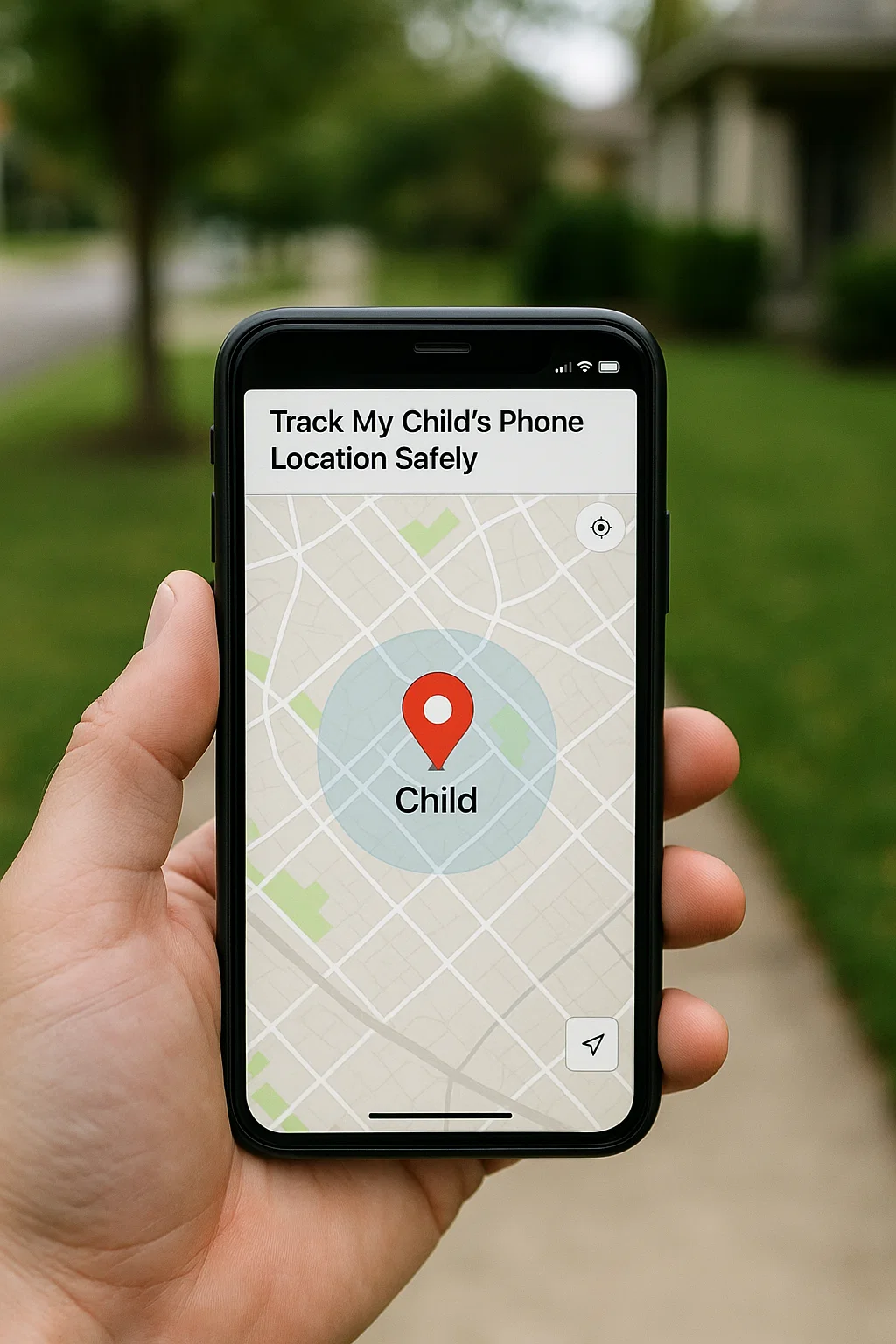
With a decade of experience advising families on digital safety, I've learned that location tracking is one of the most valuable, yet potentially contentious, tools available to parents. Used poorly, it can feel like surveillance. Used correctly, it's a lifeline of safety and a foundation for granting more freedom. This guide is designed to show you exactly how to track my child's phone location safely, using methods that are effective, reliable, and rooted in open communication.
Why Safe Location Tracking is About Trust, Not Surveillance
The goal of tracking your child's phone is not to create a digital leash or monitor their every move. The true purpose is threefold:
Safety: To ensure their physical well-being and know their whereabouts in case of an emergency.
Independence: Ironically, tracking can grant more freedom. When you have a reliable way to verify their safety, you can feel more comfortable saying "yes" to outings and activities.
Convenience: Knowing their ETA saves time and reduces stress for the whole family.
Approaching this tool with a mindset of partnership, rather than control, is the first and most critical step in learning how to track my child's phone location safely.
The Foundation: A Conversation, Not a Installation
Before you enable a single feature, have an open and honest conversation with your child. This is the cornerstone of safe and ethical tracking.
Frame it as a Safety Tool: Explain that it's like any other safety measure. You might say, "This is like wearing a seatbelt. We hope we never need it, but it's essential for safety. This helps me feel comfortable giving you more independence."
Be Transparent: Tell them exactly what you plan to use and what you will be able to see. Secrecy breeds distrust.
Establish Boundaries: Discuss when and why you will check their location. Is it only when they're late? Or when they're going somewhere new? Setting these guidelines together builds mutual respect.
Method 1: Using Built-in Phone Features (The Free & Easy Start)
The simplest and most straightforward way to begin is by using the free tools already built into your phone's operating system.
For iPhone Families: Apple's Find My App
The "Find My" app is a robust, privacy-focused system that is perfect for families within the Apple ecosystem.
How to Set It Up:
Ensure your child is part of your Family Sharing group.
On your iPhone, go to the
Find Myapp.Tap on the
Peopletab.Tap
Share My Locationand select your child's name. They will need to accept the share request.
Key Features:
Real-Time Location: See their current location on a map.
Notifications: Set up notifications to alert you when they leave or arrive at a specific location (e.g., school, home). This is called "geofencing."
Low-Tech Mode: Even if the phone is offline or dead, it can send its last location using the Find My network.
For Android/Cross-Platform Families: Google's Family Link
Google Family Link provides comprehensive parental controls, with location tracking being a central feature.
How to Set It Up:
Download the Google Family Link app on your phone and your child's phone.
Follow the in-app instructions to link the accounts.
Key Features:
Real-Time Location: View your child's device location on a map.
Location History: See where the device has been over time (this can be disabled for privacy).
Geofencing: Get alerts when they arrive at or leave places like home or school.
Method 2: Dedicated Parental Control Apps for Enhanced Safety
While built-in tools are excellent, dedicated parental control apps offer more robust features, reliability, and additional safety tools beyond just location. They are ideal for parents who want a single dashboard for all their digital parenting needs and want to track my child's phone location safely with extra precision.
1. mSpy: For Comprehensive Location and Safety Monitoring
mSpy is a powerful all-in-one monitoring tool that offers particularly detailed and reliable location services.

Key Features for Location Safety: Provides precise, real-time GPS tracking. Its geofencing feature allows you to draw specific "safe zones" on a map and receive instant alerts the moment your child enters or leaves them. It also maintains a detailed location history.
Beyond Location: While its primary use here is for location, it also offers social media monitoring, which can provide context for their whereabouts (e.g., if they've posted about being at a specific location).
Best For: Parents who want the most accurate and feature-rich location tracking combined with broader digital oversight.
2. Parentaler: For Simple and Effective Location Checks
Parentaler focuses on user-friendliness, making location tracking straightforward and accessible.
Key Features for Location Safety: Offers clear, real-time location tracking on an easy-to-read map. You can quickly check their whereabouts at any time from your own phone's dashboard.
Beyond Location: It pairs location data with screen time management and app blocking, giving you a holistic view of your child's phone use and location.
Best For: Parents who want a simple, no-fuss app that makes checking their child's location quick and easy.
3. Eyezy: For All-in-One Family Management with Location Insights
Eyezy combines powerful location tracking with a suite of other monitoring tools in a single, organized dashboard.

Key Features for Location Safety: Includes real-time GPS tracking and geofencing. Its dashboard clearly displays location data alongside other phone activity.
Beyond Location: A unique "Places" feature categorizes frequently visited locations (e.g., "Home," "School," "Cafe"), giving you instant insight into their routines without constantly watching the map.
Best For: Families looking for a versatile app that provides both detailed location history and broader phone management capabilities.
Best Practices for Safe and Respectful Tracking
Knowing how to use the technology is only half the battle. How you use it daily determines its success.
Don't Micromanage: Avoid commenting on every small detour. Constant, unnecessary checking can feel like spying. Use the tool for its intended purpose: safety and peace of mind.
Use Geofencing for Automation: Set up alerts for key locations (school, home). This way, you're notified of important comings and goings without having to actively monitor the map.
Respect Privacy as They Age: As your child becomes a responsible teenager, consider adjusting the tracking. You might switch from constant tracking to only using it when they are driving long distances or going to unfamiliar places. This demonstrates trust and prepares them for adulthood.
Conclusion
Learning how to track my child's phone location safely is a modern parenting skill that empowers both you and your child. It alleviates your anxiety and, when handled with trust and transparency, grants them the freedom to explore their world with a safety net securely in place.
Start with a conversation. Then, choose the tool—whether a built-in app or a dedicated solution—that best fits your family's needs and values. The peace of mind that comes from knowing your child is safe is priceless.
Take the first step toward safer independence for your child. Explore these trusted location tracking solutions and choose the one that gives your family confidence.
Frequently Asked Questions (FAQs)
1. Is it legal to track my child's phone?
Yes, it is generally legal for a parent or legal guardian to track the location of their minor child. The law recognizes that parents have a responsibility to ensure the safety and well-being of their children, and this extends to knowing their whereabouts.
2. Will location tracking drain my child's phone battery?
Modern location services, especially those used by built-in apps like Find My and Google Family Link, are optimized to minimize battery drain. While there will be some impact, it is typically minimal and should not significantly affect daily use. Dedicated apps are also designed to be efficient.
3. What should I do if my child disables the location sharing?
If this happens, avoid an immediate confrontation. Instead, approach it with curiosity: "I noticed your location wasn't available yesterday when you were out. Is everything okay? My ability to see your location is a condition for you having the phone because it's my job to keep you safe." This reinforces the safety agreement and opens a dialogue about any concerns they may have.


