The internet is a vast library, but not all its shelves are safe for young minds. As a parent, you can't always be looking over their shoulder, but you can build a digital fence. The most effective way to do this isn't just blocking websites; it's proactively filtering the very language of potential harm. Having a strategic list of keywords to block for parental control is one of the most powerful, yet often overlooked, tools in a modern parent's arsenal.
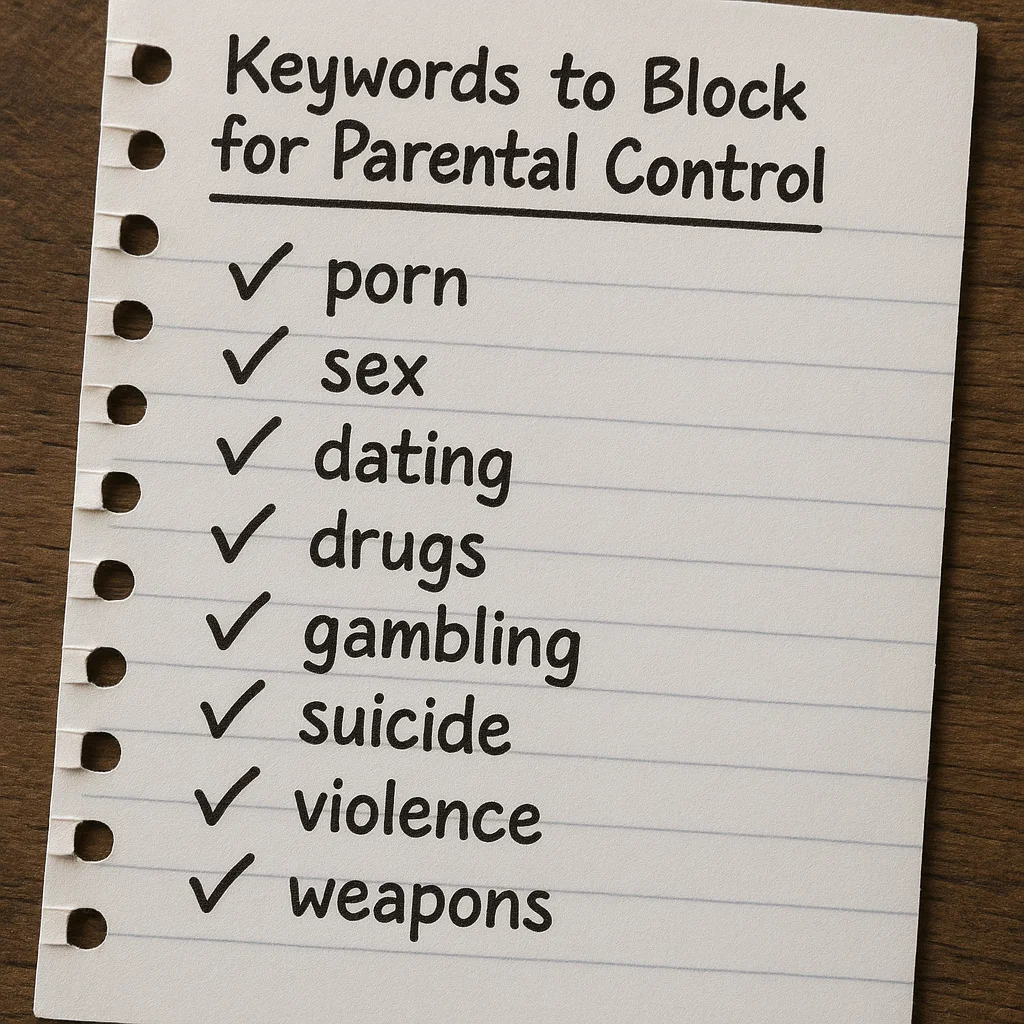
With over a decade of experience in child online safety, I've helped countless families create safer digital environments. The sheer volume of content can feel overwhelming, but the process becomes manageable when you know what to look for. This guide will provide you with a foundational, expert-vetted list of keywords to block for parental control, explain why this strategy is so crucial, and show you how to implement it using both built-in settings and powerful third-party applications. My goal is to empower you with the knowledge to proactively protect your child from explicit, dangerous, or inappropriate content.
Why a Keyword Blocking Strategy is Essential for Modern Parenting
Relying solely on website blocks is like locking the front door but leaving the windows open. New websites and social media platforms emerge constantly, making it impossible to blacklist everything. A dynamic list of keywords to block for parental control works at a deeper level, filtering content based on language across search engines, social media feeds, and in-app browsers. This method helps protect children from:
Explicit Adult Content: Shielding them from pornography and sexually explicit material.
Self-Harm and Pro-Eating Disorder Content: Blocking access to communities that promote dangerous behaviors.
Violence and Gore: Preventing exposure to graphic or violent content that can cause anxiety and trauma.
Cyberbullying and Hate Speech: Filtering out harmful language and slurs.
Dangerous Challenges and Misinformation: Limiting exposure to viral trends that can be physically harmful or based on false information.
Building Your Foundational Keyword Block List
A successful keyword strategy involves categorizing terms. This is not about spying, but about setting healthy digital boundaries, just as you would in the physical world. Here is a categorized list of keywords to block for parental control to use as a starting point. Remember, this list should be adapted to your child's age and maturity level.
Category 1: Explicit Adult Content and Pornography
This is the most common category for parents. Be specific and use common slang and misspellings.
Core Terms: porn, xxx, adult, sex, sexy, nude, nudes, onlyfans, hookup, dating
Specific Acts: Be explicit with terms related to sexual acts.
Slang and Misspellings: pron, p0rn, secs, only fans
Category 2: Self-Harm, Suicide, and Pro-Eating Disorder
This category is critical for mental health protection. It requires sensitivity and comprehensiveness.
Self-Harm & Suicide: suicide, kill myself, self harm, cutting, anorexia, bulimia, thinspo, bonespo, pro-ana, pro-mia
Specific Methods: Include terms related to common methods of self-harm or suicide.
Category 3: Violence, Weapons, and Gore
Protect your child from graphic and violent content that can normalize aggression or cause fear.
Weapons: gun, guns, ammunition, bomb, how to build a bomb, knife fight
Graphic Violence: murder, gore, torture, terrorist attack, mass shooting
Extremist Groups: List names of known violent extremist organizations.
Category 4: Drugs, Alcohol, and Substance Abuse
Block content that glorifies or provides instructions on obtaining and using illegal substances.
Illegal Drugs: cocaine, heroin, meth, ecstasy, how to buy drugs, weed, psychedelics (use specific drug names)
Prescription Drug Abuse: oxy, xanax, percs (use common slang for prescription medications)
Inhalants & Paraphernalia: terms for huffing, bong, pipe
Category 5: Hate Speech and Cyberbullying
Filter out language that promotes discrimination, hatred, or harassment.
Racial & Homophobic Slurs: All common racial, ethnic, and homophobic slurs.
General Hate Terms: hate group, white power, kill all [group]
How to Implement Your Keyword Block List: Built-in Tools vs. Advanced Apps
Creating the list is only half the battle; implementation is key. The effectiveness depends entirely on the tools you use.
Using Built-in Browser and Platform Controls
Most major platforms have some level of parental control:
Google SafeSearch: This can be enabled in Google Search settings to filter explicit results.
YouTube Restricted Mode: This helps screen out mature content on YouTube.
Router Settings: Some home routers allow you to set up basic keyword filtering for all devices on your network.
The Limitation: These tools are often easy to bypass, limited to specific platforms, and lack the granularity needed for a comprehensive list of keywords to block for parental control. A determined child can use a different browser, a VPN, or simply switch to mobile data.
The Superior Solution: Dedicated Parental Control Applications
For robust, cross-platform, and tamper-resistant keyword filtering, dedicated parental control apps are the gold standard. They apply your custom block lists across search engines, social media, and sometimes even in private messaging apps, providing a safety net that built-in tools cannot match.
1. mSpy: For Granular Control and Comprehensive Monitoring
mSpy is a powerful application known for its extensive monitoring and control features. Its keyword alert system is particularly effective for proactive parental oversight.

Key Features for Keyword Blocking:
Keyword Alerts: Receive instant notifications when a specified keyword is used or searched for on the target device.
Social Media Monitoring: Track keywords across popular platforms like Instagram, Facebook, and Snapchat.
Web Filtering: Block websites based on your keyword list and categories.
App Blocking: Remotely block access to apps where inappropriate content is often shared.
Best For: Parents who need detailed insights and real-time alerts about their child's digital activity.
How to Get Started with mSpy:
For the highest level of oversight and proactive keyword monitoring, mSpy is an industry leader.
BUY NOW
2. Parentaler: Streamlined and User-Friendly Filtering
Parentaler offers a clean, intuitive interface that makes implementing parental controls straightforward. It focuses on providing essential protection without complexity.

Key Features for Keyword Blocking:
App and Web Blocker: Easily block inappropriate apps and websites.
Screen Time Management: Set healthy limits on overall device use.
Panic Alert: A safety feature for your child to use in emergencies.
Content Filtering: Provides broad category-based filtering to complement a custom keyword list.
Best For: Parents who want an effective, no-fuss solution for creating a safer digital environment.
How to Get Started with Parentaler:
For a user-friendly and powerful parental control tool, Parentaler is an excellent choice.
TRY NOW
3. Eyezy: The All-in-One Monitoring and Alert Suite
Eyezy combines powerful monitoring with an intelligent alert system, making it ideal for parents who want to be informed about specific concerning activities.

Key Features for Keyword Blocking:
Magic Alerts: Get notified based on specific keywords found in messages, searches, and social media activity.
Social Media Tracker: Monitor interactions and posts across multiple platforms.
Invisible Shield: Operates in stealth mode for discreet protection.
Web Magnifier: See the full browsing history and bookmarks on the target device.
Best For: Data-driven parents who want to combine broad monitoring with specific, customizable keyword alerts.
How to Get Started with Eyezy:
For a blend of powerful monitoring and customizable alerts, Eyezy provides a complete solution.
TRY NOW
Maintaining and Adapting Your Keyword Strategy
Your list of keywords to block for parental control is not a "set it and forget it" tool. As your child grows and the online landscape evolves, so should your list.
Have Age-Appropriate Conversations: Discuss online safety and the reasons behind certain blocks.
Review Regularly: Every few months, review the list. Add new slang and remove terms that may no longer be relevant.
Use App Reports: Leverage the reports from apps like mSpy and Eyezy to identify new terms or trends you may have missed.
Conclusion
Creating and implementing a strategic list of keywords to block for parental control is a proactive and powerful act of love. It is a dynamic defense against the ever-changing risks of the digital world. You now have the foundational list and the knowledge of how to apply it effectively.
Don't leave your child's online safety to chance. Start by building your custom keyword list today. For the most robust protection, choose a dedicated parental control app like mSpy, Parentaler, or Eyezy to ensure your boundaries are enforced consistently and effectively. Your child's digital well-being is worth the investment.
Frequently Asked Questions (FAQs)
1. Will keyword blocking prevent my child from seeing all inappropriate content?
No method is 100% foolproof. Keyword blocking is a highly effective layer of protection, but it can't catch everything, especially images or videos without descriptive text. It should be used as part of a broader strategy that includes open communication and general website filtering.
2. Should I tell my child I'm using keyword blocking and parental controls?
This depends on your child's age and your family's philosophy. For younger children, it can be framed as a safety tool, like a seatbelt. For teenagers, transparency can build trust and open a dialogue about online responsibility, though it may also encourage them to try and bypass the controls.
3. How often should I update my list of blocked keywords?
You should review your list at least every 3-6 months. Pay close attention to new slang, viral social media trends, and your child's evolving interests. The reporting features in apps like mSpy and Eyezy can help you identify new terms that may need to be added.


