As a parent for over a decade and a specialist in family digital safety for just as long, I’ve had countless conversations with worried mothers and fathers. The story is often the same: they have a gut feeling something is wrong. They see their child quickly hiding their phone, notice a change in behavior, or hear about concerning online trends from other parents. When they ask to see the phone, they’re met with a common refrain: "I deleted it. It was nothing."
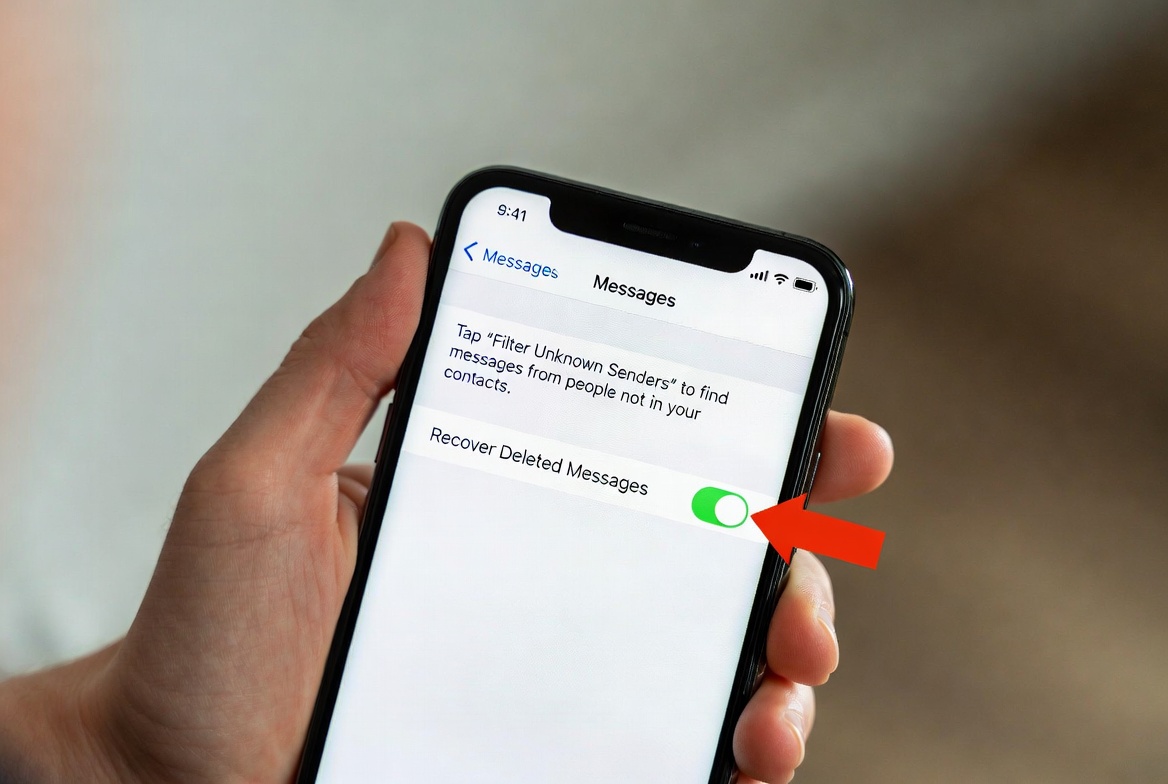
This is one of the most frustrating and concerning scenarios for a modern parent. That "nothing" could be a conversation with a bully, contact from a predator, or exposure to inappropriate content. The act of deletion itself often signals that a child knows they’ve crossed a boundary.
The good news is that you are not powerless. While Apple prioritizes privacy, there are legitimate and effective ways to regain visibility into your child's digital world for the sake of their safety. This guide will walk you through the most reliable methods for how to check deleted texts on a child's iPhone, from built-in Apple features to powerful third-party solutions.
Understanding the "Why": The Foundation of Digital Parenting
Before we explore the "how," it's crucial to address the "why." Monitoring your child's phone is not about spying or being a controlling parent. It is an act of protection in a digital world filled with real dangers. The goal is not to catch your child in a "gotcha" moment, but to guide them, set boundaries, and intervene before a small mistake becomes a life-altering crisis. Open communication about your reasons for monitoring is the cornerstone of trust. Explain that having a phone is a privilege that comes with the responsibility to use it safely, and that you are their safety net.
Method 1: Using iCloud Backup and Restoration
This is the most common built-in method parents attempt, but it comes with significant caveats.
How It Works:
If your child’s iPhone is set to back up to iCloud, their messages (including iMessages and SMS) are included in that backup, provided the "Messages" toggle is switched on in their iCloud settings. The idea is to restore this backup to a separate device to see the previously deleted texts.
The Step-by-Step Process:
Check the Backup: On your child's iPhone, go to
Settings > [Their Name] > iCloud > iCloud Backup. Ensure "iCloud Backup" is on and a recent backup exists.Erase a Spare Device: You will need a spare iPhone or iPad that you are willing to erase completely.
Restore from Backup: During the setup of this spare device, choose "Restore from iCloud Backup." Select the most recent backup from your child's phone.
Check Messages: Once the restore is complete, open the Messages app on the spare device. You should see all messages that existed at the time of the backup, including those that were deleted after the backup was created.
Critical Limitations:
Requires a Spare Device: You need a second, wipeable Apple device.
Data is Static: You will only see messages that were not deleted before the backup was made. Any texts sent and deleted between backups are lost.
Disruptive Process: This is not a real-time monitoring solution. It's a forensic snapshot in time and is highly disruptive.
This method can work for recovering an old, important message, but it is impractical for ongoing oversight.
Method 2: Monitoring with a Dedicated Parental Control App (Recommended)
For consistent, reliable, and comprehensive oversight, dedicated parental control apps are the most effective solution. These apps are designed specifically for this purpose and operate in the background, logging data—including deleted messages—so you can review it from your own device.
When choosing an app, look for features like keylogging, social media monitoring, and, crucially, the ability to track deleted messages. Here are three top-tier options I've reviewed extensively.
mSpy: The Comprehensive Monitoring Powerhouse
mSpy is one of the most established names in the industry, and for good reason. It offers a deep level of insight into a device's activity.

Key Features for Text Monitoring:
SMS & iMessage Tracking: Views all sent and received texts, even on platforms like WhatsApp and Facebook Messenger.
Deleted Message Recovery: This is its standout feature. mSpy captures and stores messages before they are deleted, allowing you to read them in your online dashboard.
Keylogger: Records every keystroke made on the device, which can capture messages as they are being typed, even if they are never sent.
Social Media Monitoring: Tracks activity on nearly all major social platforms.
mSpy is ideal for parents who have serious concerns and need the most robust monitoring available. Its ability to archive deleted messages is one of the most reliable in the market.
Eyezy: The User-Friendly and Stealthy Option
Eyezy takes a modern approach, focusing on a clean, intuitive interface without sacrificing powerful features. It’s excellent for parents who want effective monitoring without a steep learning curve.

Key Features for Text Monitoring:
Social Magnifier: This feature focuses on messaging apps, letting you see conversations across iMessage, SMS, WhatsApp, Snapchat, and more.
Keystroke Capture: Like mSpy, it logs keystrokes, providing a failsafe for recovering typed-but-deleted content.
Invisible Shield: Eyezy operates in complete stealth mode, making it undetectable on the target device.
Phone Analyzer: Provides a broad overview of the device's usage, including call logs, contacts, and installed apps.
Eyezy strikes a great balance between power and usability, making it a fantastic choice for most families.
Parentaler: Focused Monitoring with Geofencing
Parentaler offers a strong suite of monitoring tools with a particular emphasis on location-based safety, which is a great complement to message monitoring.
Key Features for Text Monitoring:
Message Monitoring: Tracks SMS and iMessages, providing access to the content of the conversations.
Access to Deleted Data: Parentaler also works to retrieve and display information that has been removed from the device.
Location Tracking & Geofencing: Get real-time location alerts and set up safe (or restricted) zones.
App Blocker: Manage which apps your child can use and for how long.
If your concerns extend beyond messaging to your child's physical whereabouts and app usage, Parentaler provides a well-rounded solution.
Method 3: Checking Through Your Wireless Carrier
Some wireless carriers (like Verizon, AT&T, and T-Mobile) offer logs of text message activity through your online account. It's important to understand what this provides.
What You Get: Typically, you can see the phone numbers, date, and time of SMS messages (not iMessages). You will not see the actual content of the messages.
Use Case: This is useful for identifying unknown numbers your child is in frequent contact with, but it is useless for understanding the context or content of the conversations.
The Ethical Approach: Combining Monitoring with Communication
Technology is a tool, not a substitute for parenting. The most effective strategy combines a reliable monitoring app like mSpy, Eyezy, or Parentaler with ongoing, open dialogue.
Be Transparent (When Possible): Depending on your child's age and the situation, consider telling them you are using a monitoring service. Frame it as a safety tool, like a seatbelt, not a punishment.
Use Information as a Conversation Starter: If you see something concerning, don't lead with anger. Ask open-ended questions: "I saw you got a message from a number I don't know. Can you tell me about that person?"
Set Clear Boundaries: Establish family rules for phone use, including what is and isn't appropriate to share online.
Conclusion: Empowerment Through Knowledge
Navigating your child's digital life is a challenging but essential part of modern parenting. When you are trying to figure out how to check deleted texts on a child's iphone, you are taking a proactive step to shield them from harm. While native solutions like iCloud are limited, dedicated parental control apps provide the consistent, detailed insight you need to be an effective digital guardian.
You don't have to operate on fear and suspicion. With the right tools and the right approach, you can create a safer online environment for your child, fostering trust while providing the protection they still need.
Frequently Asked Questions (FAQs)
1. Is it legal to use these apps to monitor my child's phone?
Yes, it is generally legal for a parent to monitor the phone of their minor child. You own the phone and the contract, and you are responsible for your child's safety. It is illegal to use these apps to monitor another adult without their consent.
2. Will my child be notified that the app is installed?
The apps recommended in this guide—mSpy, Eyezy, and Parentaler—are designed to run in stealth mode. They do not send notifications and their icons can be hidden, making them undetectable to the average user.
3. Do I need to jailbreak my child's iPhone to use these apps?
Most modern monitoring apps no longer require a jailbreak for their core features, including message monitoring. They often use iCloud credentials or other non-invasive installation methods. Always check the specific requirements on the app's website, as they are constantly being updated to work with the latest iOS versions.


