I’ll never forget the mother who told me, “It’s like my daughter is in a trance when she’s on TikTok. I have to call her name five times before she even looks up.” After a decade of working with families on digital wellness, I’ve seen how TikTok’s powerful, endless-scroll algorithm can uniquely capture a teenager's attention. A recent study from the non-profit Common Sense Media found that teenagers spend an average of 1 hour and 52 minutes per day on TikTok alone—time that often comes at the expense of homework, sleep, and real-world social interaction.
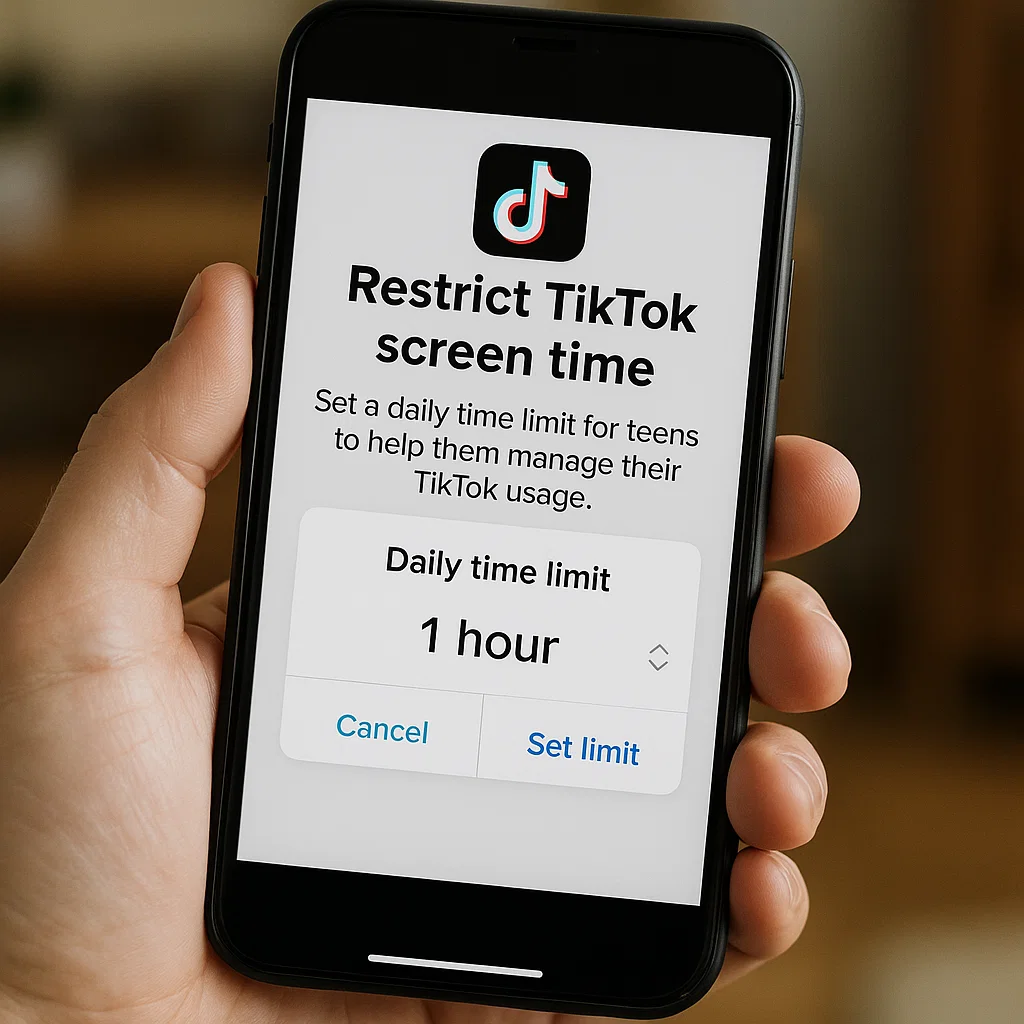
The challenge for parents isn't just about limiting screen time; it's about managing an app specifically engineered to be highly engaging. The good news is that you can take back control. Learning how to restrict TikTok screen time for teens is a manageable process that blends clear communication with effective technical tools. This guide will provide you with a realistic, step-by-step plan to help your teen develop a healthier relationship with their favorite app.
Why TikTok Presents a Unique Challenge for Parents
TikTok isn't like other social media platforms. Its "For You" page is driven by a sophisticated algorithm that learns a user's preferences with startling speed, serving up an endless stream of content tailored to their interests. This creates a state of passive consumption that makes it incredibly difficult for teens—whose prefrontal cortexes are still developing impulse control—to self-regulate.
The goal to restrict TikTok screen time for teens isn't about punishment. It's about protecting their mental well-being and ensuring their digital habits don't interfere with their development. Excessive use has been linked to reduced attention spans, sleep deprivation, and the "compare and despair" cycle that can harm self-esteem. By setting boundaries, you are helping your teen build crucial life skills around time management and digital self-control.
The First Step: A Collaborative Conversation
Before you touch any settings, start with a conversation. An authoritarian approach often leads to secretive behavior and resentment. Instead, frame this as a shared project for the whole family's well-being.
Schedule a calm time to talk and use open-ended questions:
“How do you feel after you’ve been scrolling on TikTok for a long time?”
“Do you ever find it hard to stop once you’ve started?”
“What’s a reasonable amount of time to spend on the app on a school night?”
Listen to their answers. The goal is to co-create a Family Media Plan that includes specific TikTok screen time limits for teens. When they have a voice in the process, they are more likely to cooperate.
Method 1: Using TikTok’s Built-In Family Pairing Feature
TikTok has its own native parental controls called "Family Pairing." This is a great place to start because it works directly within the app.
How to Set Up Family Pairing:
You and your teen both need the TikTok app.
On your phone, go to your profile, tap the menu (☰) in the top-right, and select Settings and Privacy.
Tap Family Pairing and select Parent.
A QR code will appear on your screen.
On your teen's phone, they need to follow steps 1-2, but in Family Pairing, they will select Teen.
They will then scan the QR code on your phone to link the accounts.
What You Can Control with Family Pairing:
Screen Time Management: Set a daily time limit for how long your teen can use TikTok (40, 60, 90, or 120 minutes).
Restricted Mode: Filter out content that may be inappropriate.
Direct Messages: You can restrict who can send messages to your teen or turn off DMs entirely.
Search: You can disable the search function so your teen can only see content from accounts they already follow.
Method 2: Using Apple’s Screen Time for iPhone Users
For a more device-centric approach, Apple’s Screen Time is a powerful and free tool. It allows you to restrict TikTok screen time for teens across the entire device, not just within one app.
Step-by-Step Instructions for iPhone:
On your teen's iPhone, go to Settings > Screen Time.
If it's not on, tap "Turn On Screen Time." Proceed and tap "This is My Child's iPhone."
Go to "App Limits" and tap "Add Limit."
Expand the "Social Networking" category (where TikTok is located) or search for it directly. Select it.
Set your time limit (e.g., 1 hour). You can customize different limits for each day.
Most importantly, tap "Block at End of Limit" to ensure the app truly locks when time is up.
Set a secure Screen Time passcode that your teen does not know to prevent them from extending the time.
The Limitations of Built-in Controls and the Need for a Stronger Solution
While Family Pairing and Screen Time are excellent first steps, they have weaknesses. A determined teen can bypass Family Pairing by unlinking your account or using a separate browser. Screen Time can be reset if the teen guesses your passcode or has access to the Apple ID password.
Furthermore, these tools don't provide any insight into what your teen is doing during their allotted screen time. Are they connecting with friends or being exposed to harmful content? This is where dedicated parental control applications offer a more robust and insightful solution.
Method 3: Using Dedicated Parental Control Apps for Guaranteed Enforcement
For parents who need a guaranteed, cross-platform solution with additional monitoring features, third-party apps are the most powerful choice. They are designed to be more tamper-resistant and offer a holistic view of your teen's digital life.
Let’s examine three of the most effective tools to restrict TikTok screen time for teens.
mSpy: The Comprehensive Monitoring and Control Powerhouse
When parents need the most powerful and detailed oversight, mSpy is a top-tier solution. It provides deep control over app usage and valuable insights into online activity.

Key Features for TikTok Management:
App Blocking: Instantly block TikTok remotely or on a precise schedule that you set.
Screen Time Management: Set strict, unbreakable daily time limits for TikTok.
Website Filter: Prevent access to TikTok.com through the phone’s browser.
Usage Reports: See detailed reports of how much time is spent on TikTok and other apps.
Who it's for: Parents who need a powerful, all-in-one solution for app control and want detailed insights into their teen's digital habits.
Eyezy: The User-Friendly and Insightful Manager
Eyezy excels at making powerful controls simple and understandable. Its clean interface is perfect for parents who want to set up limits quickly and see the results at a glance.
Key Features for TikTok Management:
Screen Time Scheduler: Visually create a schedule to block TikTok during homework hours, family time, or overnight.
App Blocker: Quickly find and restrict TikTok with a single tap.
Social Spotlight: See a consolidated feed of your teen's social media activity, providing context for their TikTok use.
Magic Alerts: Get notified if your teen encounters specific keywords related to bullying or mental health struggles.
Who it's for: Parents who want an effective, straightforward tool that is easy to set up and provides clear insights.
Parentaler: The Balanced and Trust-Focused Solution
Parentaler takes a thoughtful approach, combining strong technical controls with features designed to foster communication about digital habits.

Key Features for TikTok Management:
App Blocking & Scheduling: Reliably block access to TikTok on a set schedule.
Usage Reports: View detailed reports showing TikTok usage patterns, which can be used for constructive weekly check-ins.
Location-Based Rules: Automatically enforce screen time limits when your teen is at school.
Who it's for: Parents who want to enforce boundaries while using the data to build trust and have ongoing dialogues about responsible technology use.
Creating a Healthy Digital Environment Beyond the App
Technology is a tool, but it works best within a framework of clear family values. To support your technical limits:
Lead by Example: Model the screen behavior you want to see. Put your own phone away during meals and conversations.
Create Phone-Free Zones: Establish device-free areas like the dinner table and bedrooms.
Offer Alternatives: Encourage hobbies, sports, and in-person socializing to fill the time freed up by limited TikTok use.
Conclusion
The struggle to restrict TikTok screen time for teens is a common one, but it is a battle you can win. You now have a clear, multi-layered strategy: start with a conversation, implement TikTok's Family Pairing, reinforce it with Apple's Screen Time, and for guaranteed control, consider a dedicated app like mSpy, Eyezy, or Parentaler.
This process is not about restriction for its own sake. It's about empowering your teen with the ability to enjoy technology without being consumed by it. You are giving them the gift of time, focus, and a healthier digital lifestyle.
Frequently Asked Questions (FAQs)
1. My teen disabled the Family Pairing. What can I do?
If your teen unlinks their account, you will receive a notification. This is a clear sign that a conversation about trust and rules is needed. For a more secure solution, use a device-level tool like Apple’s Screen Time with a secure passcode or a dedicated parental control app like mSpy, which is much harder to bypass.
2. What is a reasonable daily time limit for TikTok?
This depends on your teen's age and responsibilities. A common recommendation from child development experts is 60 minutes of recreational screen time per app on school nights. The key is to ensure it doesn't interfere with sleep (8-10 hours for teens), homework, physical activity, and face-to-face social interaction.
3. Will my teen just find another app to use?
It's possible. This is why the goal isn't just to restrict one app, but to teach balanced digital habits. Using a comprehensive tool like mSpy or Eyezy allows you to set limits across all social and entertainment apps, not just TikTok, encouraging a more balanced use of their device overall.


