The image is a familiar one: a child, curled up on the sofa, quietly engrossed in their smartphone. It looks like harmless fun, a modern picture of contentment. But from my decade of experience in digital safety, I see a different potential picture. I see an open window into your living room, one that a sophisticated online predator could be peering through, disguised as a friendly peer in a game or on social media. The reality is harsh but necessary to confront: the device that connects your child to their friends and the world also connects them to individuals with malicious intent.
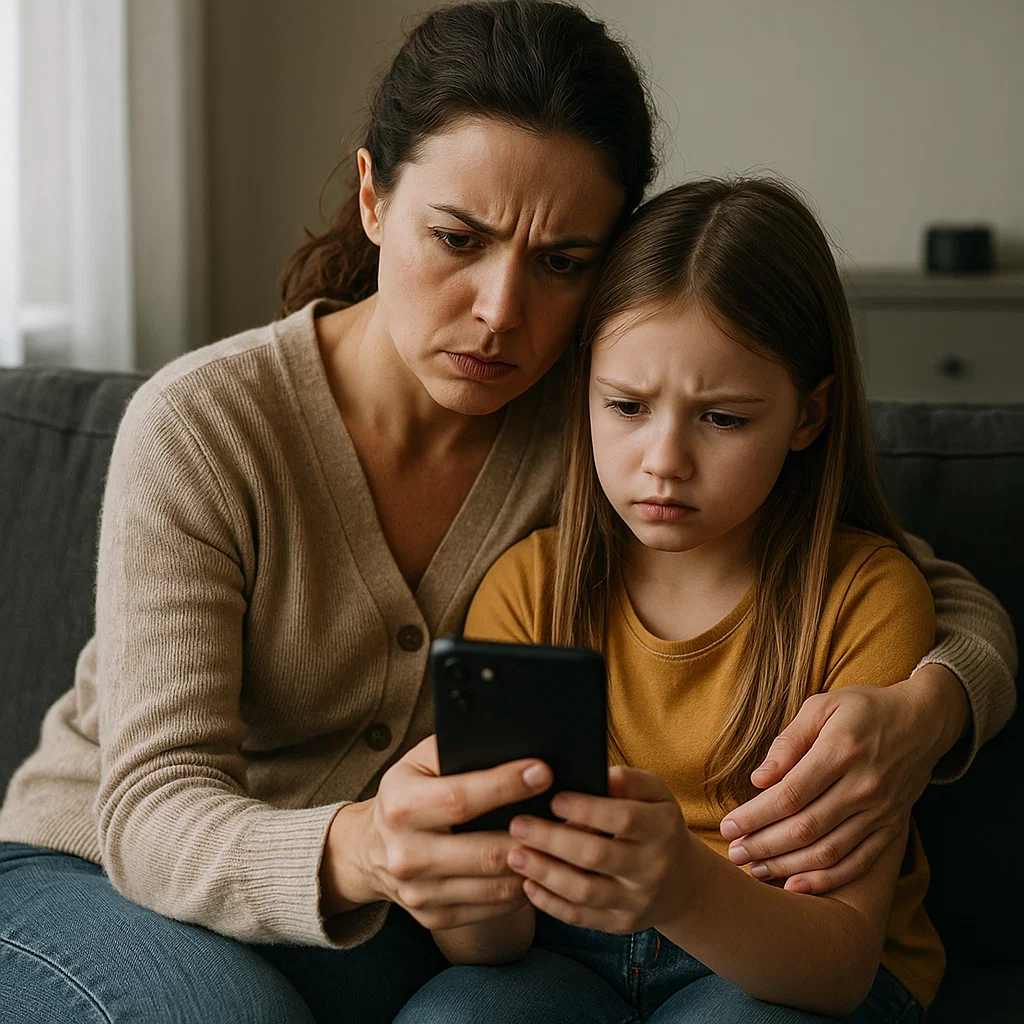
The goal is not to incite panic, but to empower you with knowledge and practical tools. Online predators are not mythical monsters; they are calculated individuals who exploit the very features that make mobile devices so appealing to kids: anonymity, connectivity, and a sense of private space. This guide is your comprehensive resource to protect kids from online predators on mobile. We will cover the modern tactics predators use, the critical conversations you must have, and the technological tools that can act as a vital safety net for your family.
Understanding the Modern Predator's Playbook
Gone are the days of simply worrying about chat rooms on a family desktop computer. Today's predator operates wherever children are: on gaming platforms, social media apps, and even in seemingly innocent comment sections. Their process, often called "grooming," is a gradual and manipulative strategy designed to build trust and break down a child's defenses.
The common steps include:
Identifying a Target: They seek out children who appear vulnerable, perhaps those who post about feeling lonely, having family problems, or seeking validation.
Building Trust and Secrecy: They pose as a friend, showing interest in the child's hobbies and problems. They offer sympathy and understanding, creating a "special" bond. A key grooming tactic is to convince the child that their relationship is a secret from parents.
Shifting to Inappropriate Content: Once trust is established, the conversation slowly shifts to sexual topics. They may ask for photos or try to engage the child in sexual conversation.
Exploitation and Meeting: The final goal is often to obtain explicit images or to arrange an in-person meeting.
Understanding this playbook is the first step to disrupting it. Your awareness is their biggest obstacle.
The Digital Red Flags: What to Watch For
While it's crucial to respect your child's growing need for privacy, their safety is paramount. Certain behavioral changes can indicate that something is wrong online. Be observant, not intrusive, and look for these warning signs:
Secretive Device Use: Suddenly turning off the screen when you approach, being overly protective of their phone, or using it exclusively at night behind closed doors.
Emotional Volatility: Appearing withdrawn, anxious, angry, or depressed after being online. Alternatively, they may become overly excited or secretive about a "new friend."
Using Unfamiliar Apps or Accounts: Finding apps on their phone you don't recognize or discovering they have secret "Finsta" (Fake Instagram) or other social media accounts.
Receiving Gifts: Unexplained gifts, such as gaming vouchers or new phones, can be a tactic predators use to create a sense of obligation.
Withdrawing from Family and Friends: Pulling away from their usual social circles and spending an increasing amount of time isolated with their device.
The Foundation of Safety: Open and Ongoing Communication
Technology can only do so much; the strongest shield you have is a trusting relationship with your child. The goal is to be the person they come to with a problem, not hide it from.
Start these conversations early and have them often:
Talk About "Tricky People": Instead of the concept of "stranger danger," which can be confusing online, teach them about "tricky people"—anyone who asks them to keep a secret from you, makes them feel uncomfortable, or asks for personal information or photos.
Establish a "No-Secrets" Policy: Be very clear: "No adult should ever ask you to keep a secret from your parents. If anyone does, that is a sign you must tell me immediately."
Practice "What-If" Scenarios: Role-play situations. "What if someone you met in a game asks you what school you go to?" or "What if someone sends you a picture that makes you feel uncomfortable?" Coach them on the response: stop communication, block the user, and tell a trusted adult immediately.
Fortifying the Device: Essential Privacy Settings
Before considering any third-party apps, you must master the built-in controls on your child's phone. This is your first and most important line of technical defense to protect kids from online predators on mobile.
For Apple Devices (iOS):
Navigate to Settings > Screen Time. Tap "Turn On Screen Time," select "This is My Child's [Device]," and set a passcode.
Use Content & Privacy Restrictions to disable explicit content, prevent app installs and deletions, and lock down privacy settings for location services and contacts.
In Communication Limits, you can control who your child can communicate with via phone and FaceTime.
For Android Devices:
Use the Google Family Link app. This allows you to:
Manage the apps your child can use.
Set privacy settings for their Google Account.
Approve or block apps they want to download from the Google Play Store.
Monitor their screen time.
The Safety Net: How Parental Control Apps Add a Critical Layer
While built-in settings manage what your child can access, parental control apps provide insight into how they are using their device and who they are interacting with. For the specific threat of online predators, this visibility is not a luxury—it's a critical layer of security. These apps can alert you to dangerous patterns of communication that would otherwise remain hidden.
mSpy: For Comprehensive Digital Oversight
mSpy provides a detailed view of your child's digital activity, making it a powerful tool for identifying predatory contact across multiple platforms.

Key Features for Predator Prevention:
Social Media Monitoring: Track direct messages and interactions on platforms like Instagram, Snapchat, and WhatsApp, where predators often initiate contact.
Keylogger: This feature records every keystroke made on the device. This can reveal conversations happening on encrypted apps or in-game chats that are not easily monitored otherwise.
Location Tracking & Geofencing: Know your child's real-time location and receive alerts if they leave a designated safe area, which is crucial if a predator attempts to arrange a meeting.
Call and SMS Tracking: See who is calling and texting your child, including the full content of messages.
mSpy offers the depth of insight needed to uncover sophisticated grooming attempts.
Parentaler: For Straightforward App and Contact Management
Parentaler offers a clean, user-friendly approach focused on controlling what your child can access and who they can communicate with.

Key Features for Predator Prevention:
App Blocker: Instantly block any application you deem high-risk for predator activity, such as anonymous chat apps.
Web Filter: Block access to inappropriate and dangerous websites.
Contact Management: Review and manage the contacts on your child's phone.
Panic Alert: Your child can send an immediate alert to your phone with their location if they feel threatened or unsafe.
Parentaler is an excellent choice for parents who want to create a controlled digital environment with clear boundaries.
Eyezy: For All-in-One Awareness and Alerts
Eyezy provides a wide array of monitoring features in a single dashboard, giving parents a holistic view of their child's digital footprint.

Key Features for Predator Prevention:
Social Magnifier: Gain insights into your child's social media circles and the type of content they are engaging with.
Screen Recording: View recordings of your child's screen activity to see firsthand how they are using their apps and who they are talking to.
Notification Monitoring: See all incoming alerts, which can help you identify communication from unknown or suspicious sources.
Phone Analyzer: Access a complete log of calls, messages, and installed apps for a comprehensive review.
Eyezy helps parents stay informed and spot potentially dangerous new contacts or apps quickly.
Creating a Family Action Plan
Combine all these elements into a clear Family Digital Safety Plan. This should include:
Rules for App Downloads: No new apps without parental review and approval.
Location Sharing: A requirement that location services are always on for family safety apps.
Regular Check-Ins: A weekly, low-pressure time to review phone use together and discuss any uncomfortable online interactions.
The Promise: Your unwavering promise to your child that they will never be in trouble for coming to you with a problem about someone online.
Conclusion
The mobile phone is a fixture of modern childhood, but it doesn't have to be a vulnerability. By combining unwavering open communication, smart device settings, and the strategic use of monitoring tools, you can significantly reduce the risk your child faces. Your proactive approach sends a powerful message: their safety is your priority, and you are equipped to defend them in the digital world.
Do not wait for a warning sign to become a crisis. The time to act is now.
Frequently Asked Questions (FAQs)
1. Isn't it an invasion of privacy to monitor my child's phone so closely?
This is a balance between privacy and safety. A young child or teen does not have the same right to digital privacy as an adult because they do not have the mature judgment to navigate serious risks. Frame monitoring as a safety measure, not a spying one. Explain, "Just as I wouldn't let you wander a strange city alone, I won't let you navigate the online world without guidance. This is how I keep you safe."
2. My child is very tech-savvy and might disable the apps. What can I do?
Many parental control apps, including the ones mentioned, are designed to be difficult to detect or remove without a parent's password. Furthermore, using built-in controls like Apple's Screen Time passcode provides a foundational layer that is hard to bypass. Make adherence to these safety measures a non-negotiable condition for having a phone.
3. What is the single most important thing I can do to protect my child?
There is no single solution, but if you must choose one, prioritize open communication. A child who feels they can come to you without judgment or immediate punishment is your most reliable early warning system. Technology can alert you to a problem, but a trusting relationship can prevent it altogether.


