Handing your teenager an iPhone can feel like giving them a key to a vast, uncharted city with no map. The opportunities for connection and learning are incredible, but the risks—from cyberbullying to inappropriate content and screen addiction—are equally real. As a youth counselor specializing in digital wellness for the past ten years, I’ve witnessed firsthand the anxiety and conflict this can cause in families.
The challenge isn't just about setting rules; it's about fostering responsibility. A heavy-handed approach can shatter trust, while a completely hands-off one is a gamble with your child's safety. This definitive guide to monitoring a teenager's iPhone is designed to help you navigate this complex terrain. We will explore a balanced strategy that combines open communication, built-in tools, and powerful apps to protect your teen while respecting their growing independence.
Why Monitoring is a Act of Guidance, Not Distrust
Before diving into the "how," it's essential to reframe the "why." For a teenager, any form of monitoring can feel like an invasion of privacy. Your job is to shift this perspective.
Think of it like a driver's permit. You don't just hand over the car keys and hope for the best. You sit in the passenger seat, guiding them, setting boundaries, and intervening when necessary. Monitoring your teen's iPhone is the digital equivalent. It's a temporary training tool to help them develop the judgment and resilience they need to navigate the online world safely on their own. This guide to monitoring a teenager's iPhone is built on this principle of mentorship.
The Foundation: Establishing Trust Through Conversation
Technology is a tool, but trust is the foundation. Skipping this step will undermine even the most sophisticated monitoring app.
Initiate a Collaborative Dialogue: Don't announce your plan as a decree. Start a conversation. Say, "Your phone is a powerful tool, and with that power comes responsibility. I want to work with you to create a plan that keeps you safe while giving you the freedom you're ready for."
Define the "Why" Together: Discuss real-world dangers like digital footprints, online predators, and the mental health impact of social media. When they understand the risks, the rules feel less arbitrary.
Co-Create a "Digital Driver's Agreement": Draft a contract together. Outline responsibilities, agreed-upon boundaries, and the specific monitoring tools you'll use. This transforms the process from a punishment into a mutual agreement.
Your First Line of Defense: Mastering Apple's Built-in Tools
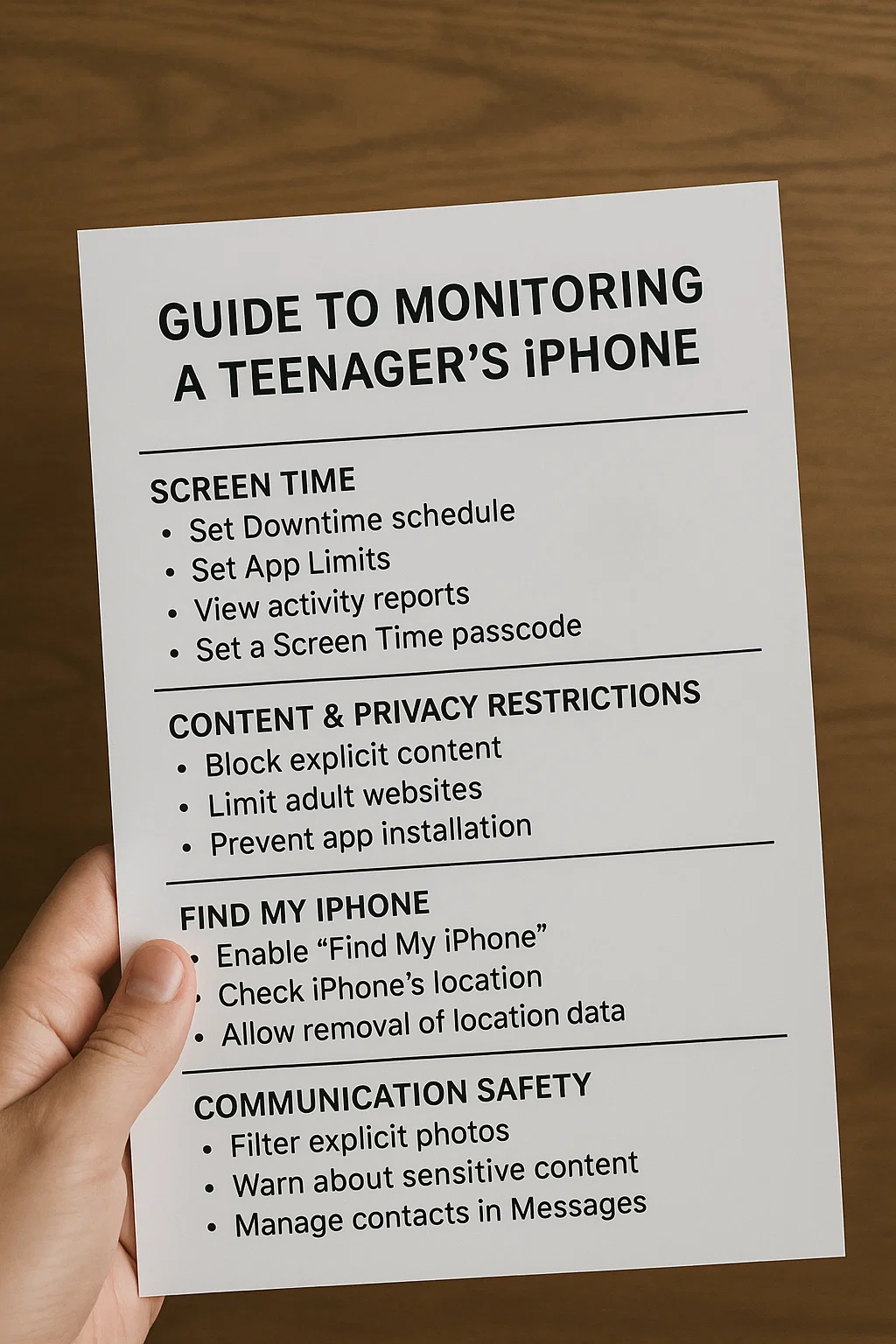
Apple provides a powerful, free suite of tools called Screen Time. It should be the starting point for any guide to monitoring a teenager's iPhone.
To set it up, you need to create a Family Sharing group and enable Screen Time for your teen's device. Here’s what it allows you to do:
See Activity Reports: Get a detailed breakdown of how much time is spent in each app, how many times the phone is picked up, and which apps are sending the most notifications.
Set App Limits: You can set daily time limits for entire app categories (like Social Networking or Games) or for specific apps like TikTok or YouTube.
Schedule Downtime: This feature locks down non-essential apps during set hours, such as during school or at night to protect sleep. You can choose which apps, like phone calls or music, remain available.
Content & Privacy Restrictions: This is a critical section. Here, you can block explicit content, prevent iTunes & App Store purchases, and—most importantly—prevent your teen from changing these settings or deleting apps without your passcode.
Accessing This: The reports can be viewed on your teen's iPhone under Settings > Screen Time or, if using Family Sharing, directly from your own device.
When You Need More: A Look at Dedicated Monitoring Apps
Screen Time is excellent for managing time, but it offers little insight into the content of your teen's digital life. It won't show you the text messages they're receiving, who they're interacting with on Snapchat, or their precise location history. This is where third-party apps become invaluable. They provide a deeper layer of oversight for concerned parents.
These apps work within Apple's security framework, typically requiring a one-time installation on the teen's phone and using their iCloud credentials to sync data to a secure online dashboard.
1. mSpy: For Comprehensive Social Media and Communication Oversight
mSpy is a powerful tool for parents who need a clear window into their teen's social world and communications.

Key Features: It monitors text messages (including iMessage and WhatsApp), call logs, and social media activity on platforms like Instagram, Snapchat, and Facebook. It provides real-time GPS location, geofencing alerts, and can track web browsing history.
Best For: Parents of teens who are highly active on social media and for whom understanding the nature of their private communications is a primary safety concern.
2. Parentaler: For Straightforward Screen Time and App Management
Parentaler excels in simplicity, offering a clean interface for managing the most common parental pain points: screen time and app access.
. Key Features: It allows you to set precise daily schedules, block specific apps (like games during homework time), and pause the internet with one tap. Its web filtering and usage reports make it easy to enforce the boundaries you've set together.
Best For: Families who want a no-fuss solution to manage time and block distractions without the complexity of social media monitoring.
3. Eyezy: The All-in-One Management and Insight Dashboard
Eyezy combines a wide array of monitoring tools with practical device management, offering a versatile solution for many families.

Key Features: Includes social media and message monitoring, GPS location tracking, and screen time scheduling. A standout feature is its "Screen Recording," which provides periodic screenshots of the device, showing you exactly what your teen is viewing in real-time.
Best For: Parents looking for a single application that handles both safety oversight and practical controls like app blocking and usage limits.
Implementing Your Strategy: A Phased Approach
Start with Transparency: Install any chosen app with your teen. Show them the dashboard and explain its purpose as a training tool, not a spying device.
Focus on High-Impact Areas: Initially, focus on location safety and overall screen time balance rather than reading every message. This builds a foundation of trust.
Use Data for Dialogue: If the app alerts you to concerning activity, use it as a conversation starter. "I got a notification that you were on your phone very late. Is everything okay? Let's talk about it." This reinforces that the goal is guidance, not punishment.
Gradually Grant More Autonomy: As your teen consistently demonstrates responsible behavior, loosen the restrictions. This proves that the monitoring is temporary and that trust is earned through action.
The End Goal: Fostering Digital Independence
The ultimate aim of this guide to monitoring a teenager's iPhone is to make the monitoring obsolete. Your role evolves from manager to consultant. The conversations will shift from "You can't use that app" to "What are the pros and cons of that new social media platform?" By gradually transferring responsibility, you equip them with the critical thinking skills to navigate the digital world long after they've left your home.
Conclusion
Monitoring your teenager's iPhone is one of the most practical expressions of modern love. It's about being present in a space where you can't physically be, offering guidance where dangers are invisible, and preparing them for a future they will shape.
You have the ability to provide both safety and freedom. Start the conversation, choose the tools that support your family's values, and embark on this journey as a guide, not a warden.
Frequently Asked Questions (FAQs)
1. My teen says monitoring is an invasion of privacy. How do I respond?
Acknowledge their feelings. You can say, "I understand why it feels that way. My most important job is to keep you safe, and the online world has real risks. This isn't about reading your diary; it's about making sure you're safe from people or content that could harm you. As you show me you can handle this responsibility, we can adjust the rules." This frames it as a safety issue, not a trust issue.
2. Can my teenager bypass these monitoring tools?
Apple's Screen Time is protected by a passcode only you should know. Dedicated apps like mSpy, Parentaler, and Eyezy are designed to be difficult to bypass. They often run in stealth mode or require your password for removal. While a determined, tech-savvy teen might find ways around some features, these apps create a significant and effective barrier.
3. At what age should I stop monitoring my teen's phone?
There's no magic number. The process should be a gradual transition based on demonstrated responsibility, not a birthday. If your teen consistently makes good choices, communicates openly about their online experiences, and manages their time well, you can begin to scale back monitoring in the later high school years. The goal is to phase it out completely as they prepare for college or independent living.


