The phone slips from their hand at the park, clattering onto the pavement. A moment of inattention, and it’s left in a restaurant. Or worse, it’s snatched. In that heart-dropping instant, your first thought isn't about the cost of the device; it's about the private photos, the personal messages, and the direct line to your child that is now vulnerable. As a parent, the feeling of powerlessness is overwhelming.
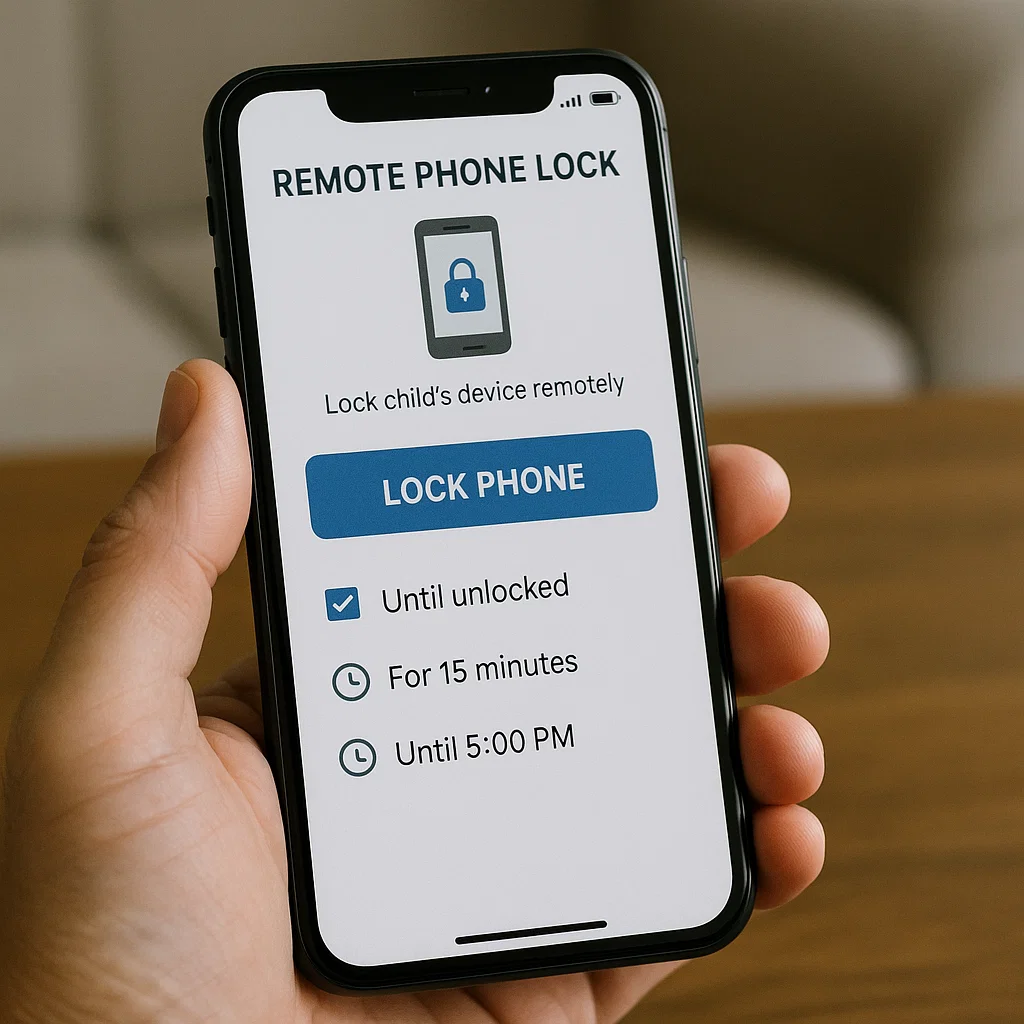
For ten years, I've guided families through the complexities of digital safety. While we often discuss screen time limits and social media monitoring, one of the most critical yet overlooked tools is the ability to act decisively the moment a phone is lost or stolen. This is where remote phone lock apps for parents transition from a convenience to a necessity. They are the digital equivalent of a car's anti-theft system. This article will demystify these applications, moving beyond the basic concept to explore how they function as a cornerstone of a modern child safety strategy, protecting both the device and the sensitive data it holds.
The Critical Function of a Remote Lock: More Than Just a Button
At its core, a remote lock allows you to secure a device from anywhere in the world using an internet connection. With a few taps on your own phone or computer, you can prevent anyone from accessing the content on your child's device. But why is this so vital for parents?
Data Security: A child's phone is a treasure trove of personal information. It contains family photos, messages between friends, saved passwords, and access to social media and email accounts. A remote lock is your first line of defense in keeping this information private.
Financial Protection: If you have payment methods linked to the device for app purchases or subscriptions, a remote lock can prevent unauthorized transactions.
Safety Assurance: In the unsettling event a phone goes missing, knowing you can instantly cut off a potential stranger's access to your child's communication channels provides immense relief.
Understanding this function is the first step in recognizing that remote phone lock apps for parents are a fundamental component of responsible device ownership.
Built-in Solutions vs. Dedicated Apps: Knowing Your Options
Most modern smartphones come with built-in features that offer remote locking capabilities. For Apple devices, this is integrated into the "Find My" network, while Android devices use "Find My Device." These are excellent, free tools that every parent should activate immediately.
However, built-in solutions have limitations. They are primarily designed for device recovery and may not offer the granular control or additional safety features that dedicated apps provide. For instance, while you can lock an iPhone remotely with Find My, you cannot schedule locks during homework time, lock specific apps, or get detailed reports on device activity. This is where third-party remote phone lock apps for parents fill a crucial gap, offering a more holistic approach to digital parenting that combines security with supervision.
mSpy: The Comprehensive Monitoring and Security Suite
mSpy is a powerhouse in the parental control space, known for its extensive feature set that goes far beyond simple location tracking. Its remote lock capability is part of a broader security framework designed to give parents complete oversight.

Key Features for Security and Monitoring:
Remote Device Lock: Instantly secure the target device with a passcode, preventing physical access.
App Blocking and Usage Control: Remotely block specific applications, like social media or games, during school hours or bedtime.
Panic Button: Some versions include a feature that allows the child to send an immediate alert to the parent in an emergency.
Full Social Media and Message Monitoring: Read conversations on WhatsApp, Instagram, Snapchat, and SMS to understand your child's digital social circle.
Advanced GPS Location Tracking: Get real-time location updates and view location history.
mSpy is ideal for the parent who wants a single, comprehensive solution that combines powerful remote control with deep digital insight. It’s not just about locking the phone; it’s about managing its entire ecosystem for your child's safety.
Scannero: Specialized Location Finding with Remote Access
Scannero takes a unique approach by specializing in location services, but its method provides a form of remote access that is incredibly useful in specific scenarios. Its primary function is to locate a phone number, but this process involves sending a remote command.
Key Features for Security and Monitoring:
SMS-Based Location Ping: You enter the phone number, and Scannero sends a discreet SMS with a hidden link. If the link is clicked, it reveals the device's precise location. This is a form of remote interaction that doesn't require pre-installed software on the target device.
Geofencing Alerts: Set up virtual boundaries and receive notifications if the device enters or leaves a designated area.
No-Installation Option: In certain cases, Scannero can function without a physical app installation on the target phone, which can be critical if the device is already lost and you didn't have a tracking app pre-installed.
While Scannero is not a traditional full-featured parental control app, its innovative use of SMS for remote commands makes it a valuable tool for locating a lost device, which is the first step before initiating a remote lock through a built-in service or another app.
Moniterro: User-Centric Monitoring with Remote Control
Moniterro is designed with user-friendliness in mind, offering a clean interface and a robust set of features that include essential remote control functions. It strikes a balance between powerful monitoring and straightforward operation.
Key Features for Security and Monitoring:
Remote Screen Lock: The ability to lock the child's device remotely to prevent access.
Screen Time Scheduling: Set schedules to automatically lock the device during specific times, such as meals, homework, or bedtime.
Application Blocking: Remotely block distracting or inappropriate apps with a single click from your dashboard.
Browser History Monitoring and Blocking: See what your child is searching for online and block harmful websites.
Call and Text Message Tracking: Monitor who your child is communicating with.
Moniterro is an excellent choice for parents who want effective remote phone lock apps for parents that are easy to set up and use daily. Its focus on scheduling and app-specific controls adds a proactive layer to device management.
Integrating Remote Locking into Your Broader Safety Strategy
A remote lock is a powerful reactive tool, but the most effective digital parenting strategy is proactive. Here’s how to integrate this technology wisely:
Open Communication: Discuss with your child why these tools are necessary. Frame them as a safety measure for the whole family, not just a punishment or an invasion of privacy. Explain that locking a lost phone protects their personal information.
Establish Clear Rules: Set expectations about device usage, including times when the phone will be locked (e.g., during school). Use the scheduling features in apps like Moniterro to enforce these rules consistently.
Layer Your Tools: Use the built-in "Find My" or "Find My Device" features in tandem with a dedicated parental control app. This creates a redundant safety net; if one service fails, the other may still work.
Practice and Prepare: Don't wait for an emergency to learn how the remote lock feature works. Test it in a controlled environment so you can act quickly and confidently when it matters most.
Conclusion
The digital world presents unique challenges for parents, but it also provides powerful solutions. The ability to secure your child's phone from anywhere transforms a moment of panic into a moment of purposeful action. Remote phone lock apps for parents are a critical component of this empowered approach, safeguarding not just a piece of hardware, but your child's privacy and your own peace of mind.
Don't wait for a loss or a security breach to realize the value of this control. Evaluate your family's needs, explore the options like mSpy, Scannero, and Moniterro, and take the step today to add this essential layer of protection to your digital parenting toolkit.
Frequently Asked Questions (FAQs)
1. Is it legal for me to use a remote lock app on my child's phone?
Yes, it is generally legal for a parent or legal guardian to monitor and control the phone of their minor child. The law recognizes the parent's responsibility for the child's safety and well-being, which includes managing their digital device use and protecting their data.
2. Can my child disable the remote lock app?
This depends on the app and the device. Many dedicated parental control apps offer stealth operation or require a password to be uninstalled. However, a tech-savvy teenager with administrative access to their device may find ways to disable it. Open communication about the purpose of the app is the best way to ensure cooperation.
3. Will a remote lock work if the phone is turned off or has no internet?
No. For a remote lock command to be received and executed, the target device needs to be powered on and connected to either a cellular data network or Wi-Fi. However, the command will often queue up and execute as soon as the device reconnects to the internet.


