It’s a scenario no parent wants to imagine: your child isn't answering their phone, they're late coming home, and a knot of worry tightens in your stomach. You find their phone on their desk, but it’s locked. A passcode, a fingerprint, or a face ID scan stands between you and potentially vital information—their last location, recent messages, or who they were with. In that moment, the digital barrier meant to protect their privacy becomes a dangerous obstacle to their safety.
With a decade of experience in child safety and digital monitoring, I have advised countless parents on preparing for the unthinkable. The single most important lesson is this: proactive planning is everything. Establishing a reliable method for emergency access on a locked child phone is not about mistrust; it's a fundamental layer of modern parenting, a digital safety net for when your instincts tell you something is wrong. This article will guide you through the reasons this access is crucial and provide a detailed analysis of the most effective tools available to give you peace of mind.
Why Proactive Planning for Phone Access is Non-Negotiable
Before we discuss the "how," it's essential to understand the "why." A child's smartphone is a portal to their world. In a genuine emergency—be it a missing child, a health crisis, or a situation where they feel threatened—time is the most critical factor. Manually guessing passcodes is futile with modern security lockouts, and waiting for authorities to bypass security can cost precious hours.
Having a pre-established plan for emergency access on a locked child phone allows you to:
Locate Them Quickly: Access GPS location data from apps like Find My Device or life360.
Review Recent Communications: See their last calls, messages, or social media interactions for clues.
Identify Contacts: Quickly find the numbers of their friends or the person they were supposed to meet.
Gain Context: Understand what they were doing just before the situation arose.
This preparedness transforms you from a helpless bystander into an active, informed participant in ensuring your child's safety.
The Built-in Options: A Good First Step, But Often Insufficient
Most smartphones have built-in safety features. Apple’s Family Sharing allows location sharing, and Google’s Family Link offers similar controls for Android. These are excellent first steps and should be activated immediately.
However, they have significant limitations in a true crisis. They often require the phone to have power, a data connection, and for location services to be enabled. A child in distress may have a dead battery, or their phone could be intentionally turned off. Furthermore, these services don't grant you access to the device's content—the messages, photos, and apps that can provide the full context of the situation. While useful, built-in options are not a complete solution for comprehensive emergency access on a locked child phone.
mSpy: The Comprehensive Monitoring Powerhouse
When built-in features fall short, dedicated parental control applications provide a much deeper level of access and insight. Among these, mSpy is a veteran in the field, known for its robust and extensive feature set.

Key Features for Emergency Situations:
Pinpoint GPS Location Tracking: mSpy provides real-time location data and a detailed history of where the device has been, complete with geofencing alerts.
Full Social Media Monitoring: It allows you to read incoming and outgoing messages from platforms like WhatsApp, Instagram, Snapchat, and Facebook Messenger, even if messages are deleted.
Call and Text Logs: Access complete logs of all calls and standard SMS messages.
Keylogger Function: This feature records every keystroke made on the device, which can reveal search terms, passwords, and message drafts.
Remote Control: You can remotely lock the device or wipe its data if it's lost or stolen.
mSpy is designed for parents who need a full-spectrum view of their child's digital activity. Its strength lies in its depth of data, making it an powerful tool for piecing together a child's actions and communications leading up to an emergency.
Spynger: Stealth and Simplicity for Focused Insight
Spynger takes a slightly different approach, emphasizing stealth and a user-friendly interface. It operates in a completely hidden mode on the target device, making it undetectable to the user. This can be crucial for parents of teenagers who might otherwise disable a known monitoring app.
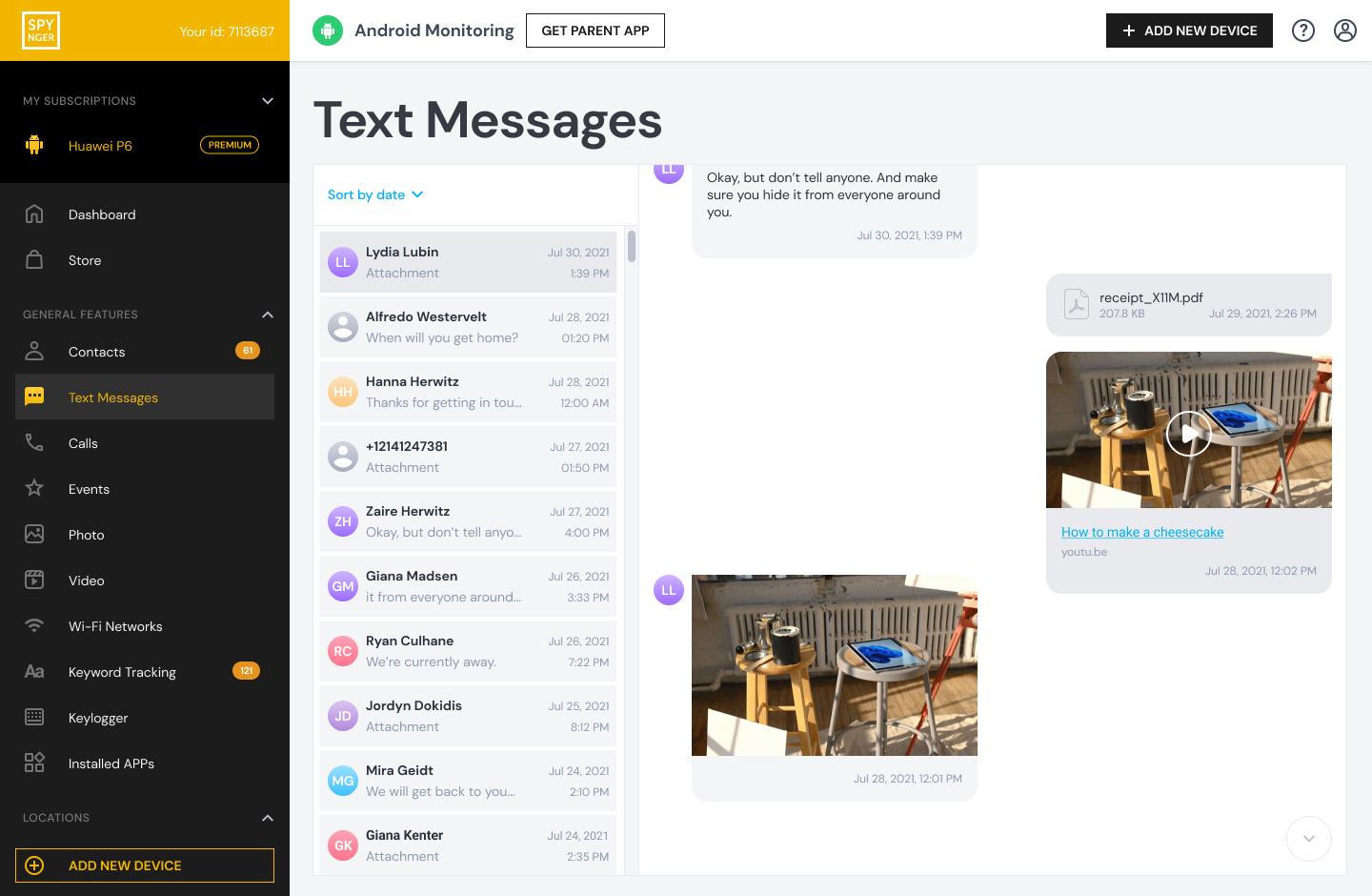
Key Features for Emergency Situations:
Stealth Mode Operation: The app icon is hidden, ensuring it remains active and undetected.
Real-Time Location Tracking: Track the device's location live on a detailed map.
Social Media and Call Monitoring: Monitor popular social media apps and review call histories.
Browser History Tracking: See what websites your child is visiting, which can reveal concerning searches or interactions.
Remote Photo and Video Access: View media files stored on the device.
Spynger is an excellent option for parents who prioritize discretion and a straightforward, easy-to-navigate dashboard. It provides the essential data needed during a crisis without the overwhelming detail of more complex systems.
Scannero: A Tool for Specific Location Discovery
Scannero.io specializes in one primary function: locating a phone number. This tool is unique because it doesn't always require software installation on the target device. By simply entering the phone number, Scannero sends a discreet message to the device and, if the link is clicked, reveals its precise location.
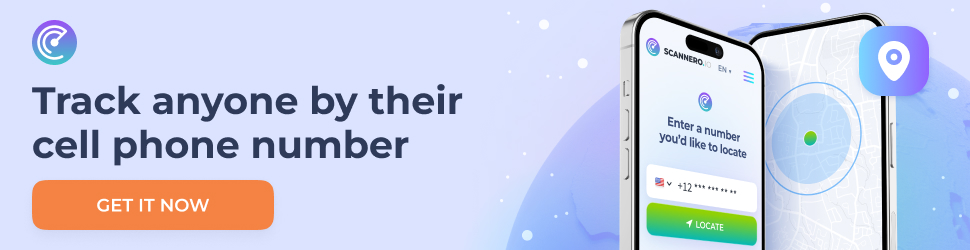
Key Features for Emergency Situations:
No Installation Required (in some cases): This is its standout feature, useful for situations where you cannot physically access the child's phone to install an app.
SMS-Based Location Ping: The system uses an SMS with a hidden link to obtain the location coordinates.
Geofencing Alerts: You can set up safe zones and receive alerts if the device enters or leaves them.
It is important to understand Scannero's scope. It is not a full monitoring suite; it is a specialized location-finder. Its power is in its simplicity and the unique no-installation approach, which can be a lifesaver in specific scenarios where other tools are not an option.
Balancing Safety, Trust, and Open Communication
Implementing any monitoring tool must be handled with care and responsibility. I always advise parents to have an open conversation with their children about safety. Frame these measures not as spying, but as a digital seatbelt—a precaution you hope to never need, but are essential to have. For younger children, this can be a condition of phone ownership. For teenagers, it’s a more nuanced discussion about the parent's responsibility to protect them in an increasingly complex world.
A Step-by-Step Preparedness Plan for Every Parent
Have the Conversation: Talk to your child about why safety measures are necessary.
Enable Built-in Features: Set up Apple Family Sharing or Google Family Link as a baseline.
Choose a Dedicated Tool: Based on your needs—comprehensive data (mSpy), discreet operation (Spynger), or specific location finding (Scannero)—select and install a reliable monitoring application.
Secure Your Credentials: Keep your login information for these services in a safe, accessible place.
Test the System: Ensure you know how to use the dashboard and that it is functioning correctly before an emergency arises.
Conclusion
In the decade I've spent in this field, the common thread among the parents I've helped is a desire to eliminate regret. You never want to be in a situation where you think, "I wish I had known how to reach them." Taking proactive steps to secure emergency access on a locked child phone is one of the most responsible actions a modern parent can take. It is a silent promise to your child that no matter what happens, you will have a way to find them and help them.
Don't wait for a crisis to reveal the gaps in your safety plan. Explore the tools available, choose the one that fits your family's needs, and install that digital safety net today. Your child’s safety is worth it.
Frequently Asked Questions (FAQs)
1. Is it legal to use these apps to monitor my child's phone?
Yes, in most jurisdictions, it is legal for a parent or legal guardian to monitor the phone activity of their minor child. The legal premise is that parents are responsible for their child's safety and well-being. It is always best to check your local laws, but these apps are designed for this legitimate parental purpose.
2. Will my child be notified that the app is installed on their phone?
This depends on the app. Apps like mSpy can often be set to run in stealth mode. Spynger is specifically designed to be undetectable. However, as a matter of trust and best practice, I strongly recommend having an open conversation with your child about the presence of the app and the reasons for it.
3. What if my child has an iPhone? Are these apps still effective?
Yes, but the installation process for iPhones is different due to Apple's strict security. It typically requires the child's iCloud credentials rather than physical access to the phone. Once configured, the apps can sync with the iCloud backup to retrieve a vast amount of data, including messages, location, call logs, and more, making them very effective for iOS devices.


