It’s a modern parenting milestone: handing your child their first iPhone. Along with the excitement comes a wave of anxiety. How do you keep them safe in a world that fits in their pocket? How do you find them if they don’t answer your call? Many parents are surprised to learn that one of the most powerful safety tools is already built into the device, waiting to be activated.
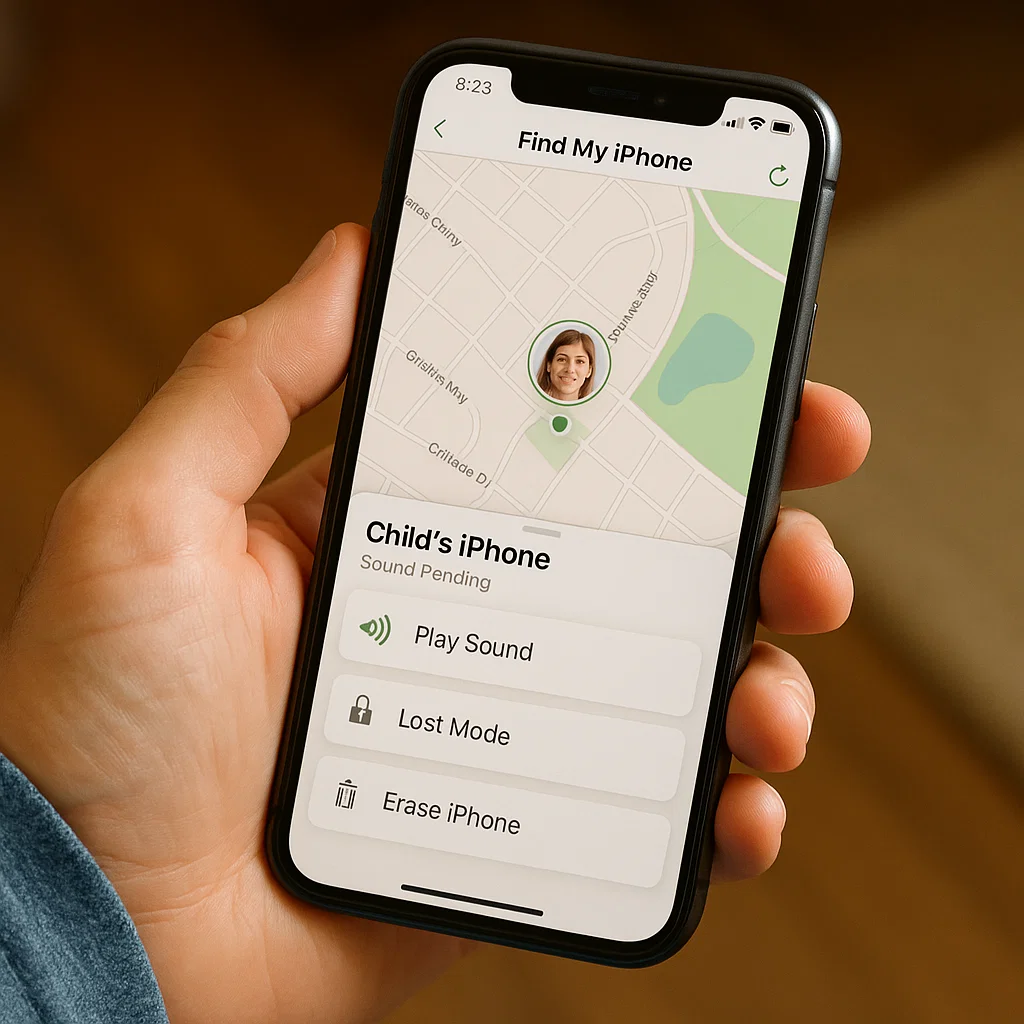
With a decade of experience helping families navigate digital safety, I have consistently found that Apple’s Find My service is the most critical, yet underutilized, first line of defense. While the name suggests a simple locating tool, it is, in fact, a comprehensive security system. This article will provide a masterclass in how to use Find My iPhone to secure a child's device. We will move beyond simple location checks and explore the advanced features that can protect your child’s data, their device, and ultimately, their physical well-being.
Why Find My iPhone is Your Non-Negotiable First Step
Before investing in third-party applications, it is essential to master the free, native tools provided by Apple. Find My iPhone (now integrated into the broader "Find My" app) is seamlessly woven into the iOS operating system. This integration offers distinct advantages:
Battery Efficiency: Unlike some third-party apps that can drain battery life, Find My is optimized to run efficiently in the background.
Network Independence: It uses a combination of GPS, Wi-Fi, and Bluetooth, and can even leverage other Apple devices in a crowd-sourced network to locate a device, even when it’s offline.
Immediate Activation: The moment you set up Family Sharing, you can enable it, creating an instant safety net.
Failing to activate this service is like leaving a valuable safety device in its original packaging. My first recommendation to any parent is always: activate Family Sharing and enable Find My before your child takes their first step out the door with their new phone.
A Step-by-Step Guide to Impenetrable Setup
Proper configuration is the foundation of security. Follow these steps precisely to ensure there are no gaps in your setup.
Establish Family Sharing: Go to Settings > [Your Name] > Family Sharing. Tap "Add Family Member" and follow the prompts to create an Apple ID for your child. For children under 13, you will create a child account, which gives you parental controls over it.
Enable Location Sharing: Within the Family Sharing menu, tap "Location Sharing." Ensure your child’s device is set to share its location with you.
Activate Find My iPhone: On your child’s device, go to Settings > [Your Child's Name] > Find My > Find My iPhone. Here, you must toggle on "Find My iPhone," "Find My network," and crucially, "Send Last Location." This last feature automatically sends the device's location to Apple when the battery is critically low, which can be invaluable in an emergency.
Once completed, you can open your own Find My app on your iPhone or go to iCloud.com on a computer to see your child’s device location.
The Proactive Parent's Playbook: Beyond Simple Location Checking
Knowing where your child’s device is now is useful, but the true power of Find My lies in proactive management.
Leverage Notifications: You can set up notifications to alert you when your child arrives at or leaves a specific location, like school, home, or a friend's house. This provides passive peace of mind without requiring you to constantly check the app.
Understand the "Last Location": Emphasize the importance of the "Send Last Location" feature. If your child’s phone dies or is turned off, this could be the only clue you have to their whereabouts.
Use the "Directions" Feature: If you see your child is at an unfamiliar location, you can tap on their device in the Find My app and select "Directions" to navigate directly to them using Maps.
Learning to use Find My iPhone to secure a child's device effectively means integrating these features into your daily routine, making safety a seamless part of your family's digital life.
The Critical "Lost Mode" and Remote Lock
The moment you realize your child’s device is missing, whether left at a practice or stolen, your response is critical. Find My iPhone’s "Lost Mode" is your best immediate action.
Activating Lost Mode remotely locks the device with its existing passcode, preventing anyone from accessing personal information. You can also display a custom message on the lock screen with a phone number to call, which is incredibly effective for honest finders. Most importantly, Lost Mode will continue to track the device’s location and send you updates. This function is not just for recovering a lost phone; it is a primary tool to protect your child’s private data from falling into the wrong hands.
When Find My iPhone Isn't Enough: Understanding the Limitations
As powerful as it is, Find My iPhone has boundaries that every parent must recognize. It is a device-location and security service, not a comprehensive monitoring tool.
Its primary limitations include:
No Content Monitoring: You cannot see your child’s text messages, iMessages, social media activity, photos, or web browsing history.
Dependence on Apple's Ecosystem: It is designed exclusively for Apple devices.
No Call Log Tracking: You cannot view who your child has been calling or for how long.
Potential for Circumvention: A tech-savvy child could log out of their iCloud account, which disables Find My iPhone.
For holistic awareness of your child's digital world—what they are seeing, saying, and who they are interacting with—you need a dedicated parental control application. Find My iPhone secures the device; other tools help you guide the child using it.
mSpy: For Deep Digital Awareness and Social Media Monitoring
When you need visibility into your child's digital interactions, mSpy is a industry leader. It goes far beyond location tracking to provide a full picture of their phone use, which is essential for protecting them from online risks like cyberbullying, predators, and inappropriate content.

Key Features Beyond Find My:
Social Media Monitoring: Track conversations on WhatsApp, Instagram, Snapchat, Facebook, and more.
Message and Call Log Access: Read SMS and iMessages and see detailed call histories.
Keylogger: Records keystrokes, which can help you understand what your child is searching for and writing.
Geofencing with Advanced Alerts: Set location boundaries and get instant notifications.
mSpy is for the parent who believes that true safety comes from understanding context, not just coordinates.
Parentaler: User-Friendly Oversight for Busy Families
Parentaler strikes an excellent balance between powerful features and a simple, intuitive interface. It is designed for parents who want comprehensive oversight without a steep learning curve.

Key Features Beyond Find My:
App Blocking and Usage Limits: Manage screen time by restricting specific apps or overall phone use.
Contact Management: See who is in your child’s contact list and block unknown numbers.
Web History Filtering: Monitor and filter your child’s internet browsing to block harmful content.
Easy-to-Read Dashboard: All information is presented in a clean, straightforward format.
If your goal is to manage and monitor your child's overall device usage in a simple, effective way, Parentaler is a superb choice.
Eyezy: The All-in-One Family Safety Suite
Eyezy positions itself as a comprehensive family safety solution, combining powerful monitoring features with tools designed to foster open communication about digital habits.

Key Features Beyond Find My:
Invisible Screen Recording: Takes periodic screenshots of the device's screen, showing you exactly what your child is seeing and doing.
File and Photo Tracking: See what images and files are being saved and shared on the device.
Plans & Schedule View: Get a visual overview of your child's location patterns over time.
Connection Blocker: Manage which Wi-Fi networks the device can connect to.
Eyezy is ideal for parents who want a feature-rich platform that provides multiple angles on their child's digital activity, from their screen to their location.
Conclusion: Layering Your Child's Digital Safety
Your child’s digital safety should be built in layers. The first and most fundamental layer is learning how to use Find My iPhone to secure a child's device. It is your indispensable tool for device recovery and location tracking. However, for a complete safety strategy that encompasses digital citizenship, social media awareness, and content filtering, a dedicated parental control app like mSpy, Parentaler, or Eyezy is the necessary second layer.
Don't settle for a partial solution. Start by securing Find My iPhone on your child's device today, and then assess your family's needs for the next level of protection. Your proactive steps are the key to their safety in both the physical and digital worlds.
Frequently Asked Questions (FAQs)
1. Can my child disable Find My iPhone without me knowing?
Yes, they can if they know your restrictions passcode or their iCloud password. If you set up a child Apple ID through Family Sharing, you can use "Screen Time" communications limits to prevent them from changing their iCloud account settings. Open communication about why the feature is active is the best long-term strategy.
2. Will Find My iPhone work if the phone is turned off?
Thanks to the "Find My network," it can. On newer iPhone models (iPhone 11 and later), a feature called "Find My network" can locate the device for up to 24 hours after it is powered off by leveraging Bluetooth signals from nearby Apple devices. The "Send Last Location" feature also provides a final location ping when the battery is critically low.
3. Is it better to use a built-in tool like Find My or a third-party parental control app?
This is not an "or" question, but an "and" answer. They serve different, complementary purposes. You should always use Find My iPhone as your primary tool for device location and security. A third-party app is for monitoring digital content, social interactions, and managing screen time. For comprehensive safety, using both is the most effective approach.


