It’s the modern-day version of wondering what your child is up to in their room behind a closed door. Only now, the door is a screen, and the world inside is YouTube—a platform of endless, uncurated content. You see them watching, headphone-clad and engrossed, and a quiet worry creeps in. What exactly are they watching? How much of their afternoon has disappeared into that algorithmic abyss? Are those videos appropriate, or even safe?
This isn't about mistrust; it's about proactive parenting in a digital age. YouTube's scale is immense, and its recommendation engine can lead a child from a harmless cartoon to a deeply inappropriate video in just a few clicks. The desire to monitor child's youtube history and watch time is a responsible and necessary one. With a decade of experience in online child safety, I can tell you that gaining this insight is not only possible but critical for your child's digital well-being. This guide will walk you through three proven methods, from free built-in tools to powerful monitoring software, to give you the clarity and peace of mind you deserve.
Why Monitoring YouTube is More Than Just Snooping
Many parents feel a pang of guilt about the idea of "spying" on their children. It's important to reframe this thinking. Monitoring your child's online activity is not an invasion of privacy; it is a form of digital supervision, akin to teaching them to cross the street safely. You wouldn't send a young child into a large city alone, and the digital landscape requires the same level of guidance.
Understanding your child's YouTube habits allows you to:
Identify Exposure to Risks: Catch inappropriate content, dangerous "challenges," or extremist viewpoints early.
Guide Healthy Habits: Understand if YouTube use is interfering with sleep, homework, or real-world social interaction.
Start Important Conversations: Use the history as a neutral starting point to discuss online safety, media literacy, and your family's values.
Method 1: Using Google Family Link for a Supervised Experience
For parents who want a free, official solution from Google, Google Family Link is the best starting point. It allows you to create a supervised Google Account for your child if they are under 13 (or manage an existing account for a teenager).
What You Can Monitor:
Watch Time: Family Link provides a dashboard showing overall screen time on the device, and you can see how much of that time is spent specifically on the YouTube app.
App Limits: You can set daily time limits for the YouTube app, automatically pausing access when the limit is reached.
Significant Limitations:
The critical thing to understand about Family Link is its fundamental limitation: It does not show you a detailed, video-by-video history of what your child has watched. You can see that they used YouTube and for how long, but you cannot see the specific videos, channels, or search terms. This is a major gap for parents who need concrete details.
How to Set It Up:
Download the Google Family Link app on your phone and your child's.
Follow the in-app instructions to link the accounts.
In the Family Link app, select your child and navigate to the "Settings" section for YouTube.
Here, you can choose a content setting: "Approved content only," "Explore," or "Explore more." For the highest safety, "Approved content only" is best, but it requires you to manually select every channel and video you permit.
Method 2: The Power of YouTube's Native "Supervised Experience"
For teens who have outgrown YouTube Kids, Google offers a feature called "Supervised Experiences on YouTube." This is a more nuanced approach that sits between a child's account and a standard adult account.
What You Can Monitor:
Watch History: When your teen is on a supervised account, you can actually view their watch history directly within the YouTube app or website when logged into their account. This is the only free method that provides this level of detail.
Search History: You can also review their search history to understand what they are looking for.
How to Set It Up:
As the parent, you need a Google Family Group. Go to families.google.com.
Invite your child's Google account to your family group.
Once they accept, you can assign their YouTube profile a content level: "Explore," "Explore More," or "Most of YouTube." Each level has different permissions.
To check their history, you would need to log into YouTube on a browser or device using their account credentials and go to the "History" library.
The Major Drawback:
This method requires you to physically access your child's account and manually check their history. It is reactive, not proactive. There are no alerts for specific types of content, and a tech-savvy teen could simply use Incognito Mode or delete their history, leaving you with no information at all.
Method 3: The Comprehensive Solution with Parental Monitoring Apps
When free tools fall short, dedicated parental control applications provide a complete, tamper-resistant solution. These apps operate at the device level, offering a transparent view of your child's activity that they cannot easily hide or delete. If your goal is to reliably monitor child's youtube history and watch time with detailed reports and proactive alerts, this is the most effective path.
These tools are particularly valuable because they work across all apps and browsers, closing the loopholes that methods like Family Link leave open.
1. mSpy: For Unmatched Detail and Insight
mSpy is one of the most powerful monitoring tools available, providing a granular look into your child's digital life, far beyond YouTube.

Key Features for YouTube Monitoring:
Full YouTube History Tracking: See every single video your child has watched, including the title, channel, and timestamp, even if they delete the history from their YouTube app.
Bookmark Tracking: Monitor any videos or channels they have saved or liked.
Keystroke Logger: Captures every search term they type into YouTube, revealing their interests and potential risks.
App Blocker: Allows you to block YouTube entirely during homework or bedtime with a single click from your parent dashboard.
mSpy is the right choice for parents who need to conduct a thorough investigation and want access to the most detailed data possible.
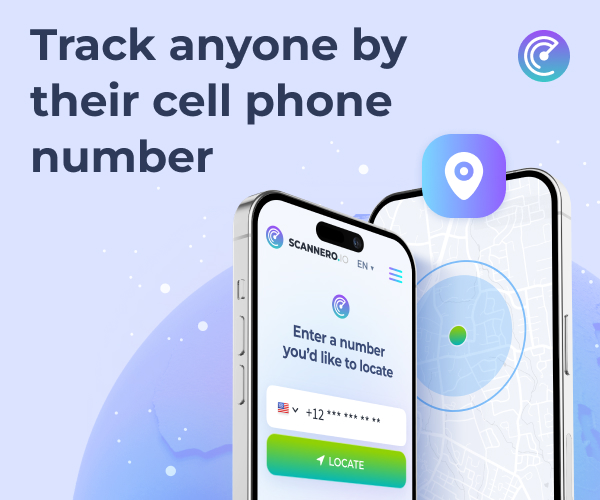
2. Scannero.io: For Location and Activity Overview
While known for its robust location-tracking features, Scannero.io also provides essential activity monitoring that gives parents a clear overview of their child's device usage.
Key Features for YouTube Monitoring:
App Activity Reports: See how much time is being spent on the YouTube app daily and weekly.
Web Browsing History: Monitor general browsing activity, which can catch YouTube viewing done through a mobile browser instead of the app.
Sim Card Change Alert: Get notified if your child changes their phone's SIM card, a potential tactic to circumvent monitoring.
User-Friendly Dashboard: A simple interface that presents all the information clearly and concisely.
Scannero.io is an excellent option for parents who want a straightforward tool that combines digital oversight with physical safety features.
3. Moniterro: For Balanced and Effective Supervision
Moniterro strikes a balance between powerful monitoring and respectful parenting, providing the data you need without feeling overly intrusive.
Key Features for YouTube Monitoring:
YouTube & Browser History Access: View the complete history of watched videos and websites visited.
Screen Time Management: Set schedules to limit overall phone use, which directly controls YouTube access.
Application Blocking: Instantly block the YouTube app or set specific time allowances for its use.
Detailed Activity Timeline: See a chronological timeline of your child's device activity, providing context for their YouTube usage.
Moniterro is perfect for parents seeking a comprehensive tool that promotes healthy digital habits through clear oversight and manageable controls.
From Monitoring to Mentoring: How to Use the Information
Seeing your child's YouTube history is only the first step. The most important step is what you do with that information.
Avoid Accusations: If you see something concerning, don't lead with anger. Use it as a conversation starter: "I noticed you were watching videos about [topic]. Can you tell me what you find interesting about that?"
Set Clear Boundaries: Use the data to inform your family's rules about screen time and appropriate content. "Our data shows YouTube use is cutting into homework time, so let's agree on a new daily limit."
Educate on Algorithms: Explain how YouTube's recommendations work. Teach them that just because a video is "recommended" doesn't mean it's true, good, or appropriate.
Your Next Steps for a Safer YouTube Experience
Your child's digital well-being is too important to leave to chance. Start with the free tools: set up Google Family Link or a YouTube Supervised Account. But if you find those methods lacking the detail or reliability you need, investing in a dedicated monitoring app like mSpy, Scannero.io, or Moniterro is the logical next step.
Don't remain in the dark about your child's online life. Take proactive steps today to monitor child's youtube history and watch time effectively. The insight you gain will be the foundation for safer habits, better conversations, and true peace of mind.
Frequently Asked Questions (FAQs)
1. Can my child hide their YouTube history from these monitoring apps?
With browser-based methods or built-in settings, yes, a child can use Incognito Mode or delete their history. However, advanced parental control apps like mSpy and Moniterro operate at a deeper system level. They can track activity even in Incognito Mode and log keystrokes, making it very difficult for a child to hide their activity completely without your knowledge.
2. Is it legal to use monitoring software on my child's phone?
Yes, it is generally legal for parents to monitor the online activity of their minor children. The legal principle is that parents have a responsibility to ensure the safety and well-being of their children, which extends to their digital lives. It is always best practice to inform your child that the device is monitored as a condition of its use, framing it as a safety measure.
3. What's the difference between using YouTube Kids and monitoring the main YouTube app?
YouTube Kids is a walled garden with content pre-selected by YouTube's algorithms and human reviewers. It's safer for very young children but can still have gaps. Monitoring the main YouTube app is for older children and teens who need access to a wider range of content for school or personal interests. Monitoring allows you to provide that access while still maintaining oversight and ensuring their safety.


