The negotiation is exhausting. "Just five more minutes!" "But I'm in the middle of a match!" "All my friends are still online!" If this daily debate over mobile gaming feels familiar, you are not alone. As a family digital wellness coach with ten years of experience, I've seen how unstructured screen time can lead to conflict, anxiety, and disrupted routines.
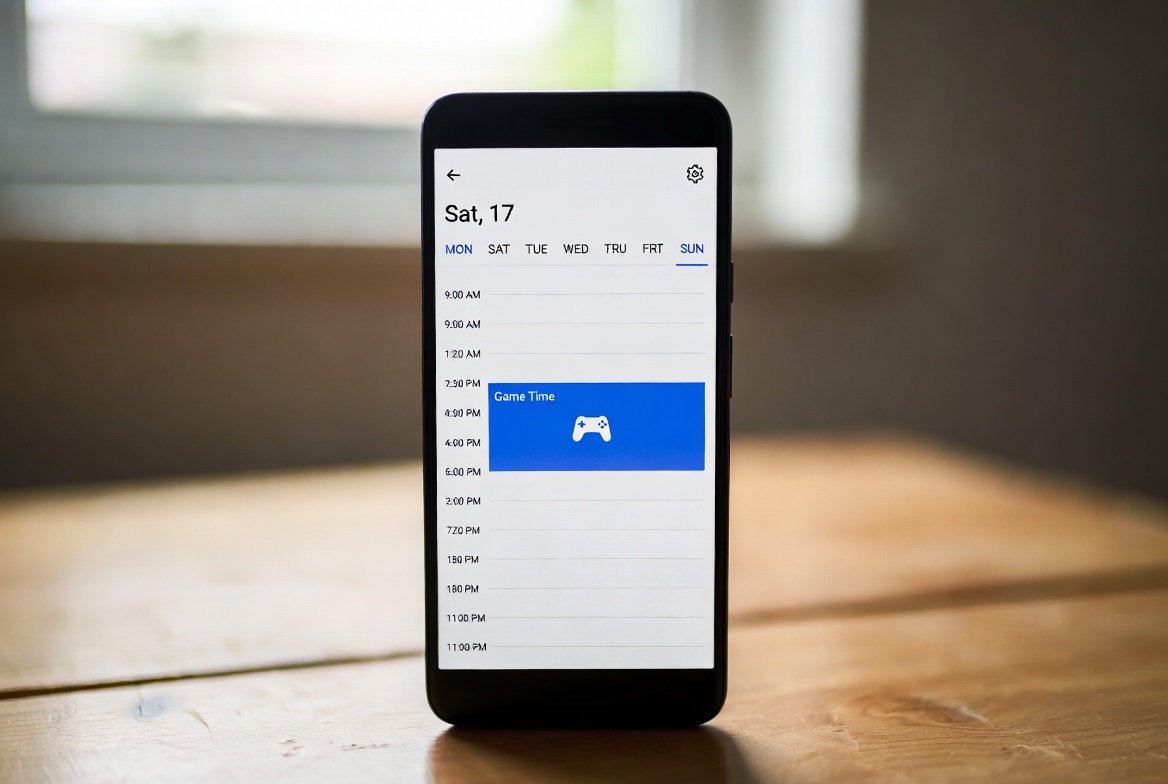
The solution, however, isn't to take the phone away forever. It's to implement structure and predictability. The most effective tool for achieving this is a powerful app to schedule game time on mobile. This isn't about micromanaging every minute; it's about using technology to enforce the healthy boundaries you set, automatically and without the arguments. In this guide, I will walk you through the best applications available that can transform your family's relationship with mobile gaming, turning daily friction into peaceful cooperation.
Why Scheduling is the Key to Managing Mobile Gaming
Simply telling a child to get off their game is an uphill battle against highly engaging software designed to keep them playing. Scheduling, however, changes the dynamic entirely. Instead of you being the "bad guy" who ends the fun, the schedule becomes the neutral, unemotional authority.
Promotes Self-Regulation: When children know that their game will automatically lock at 8 PM, they mentally prepare for the transition. This builds an internal clock and fosters time management skills.
Eliminates Daily Negotiations: The rule is pre-set. There is no room for bargaining when the app itself enforces the limit. This reduces stress and conflict for everyone.
Ensures Consistency: Schedules ensure that gaming doesn't encroach on essential activities like homework, family meals, and sleep, creating a predictable and balanced routine.
Your First Line of Defense: Built-in Operating System Controls
Before investing in a third-party solution, it's important to familiarize yourself with the robust, free tools already on your child's device. These are excellent for establishing basic schedules.
For iOS (Screen Time): Apple’s Screen Time feature is deeply integrated into the iPhone. You can use "Downtime" to block all but allowed apps during specific hours (e.g., bedtime). More importantly, the "App Limits" function allows you to set a daily time allowance for the "Games" category. Once the time is up, the games are blocked until the next day. You can also use "Always Allowed" to ensure essential apps remain functional.
For Android (Google Family Link): This is Google's dedicated parental control app. It allows you to set a daily screen time limit for the entire device. You can then create a "Bedtime" schedule that locks the phone during chosen hours. To specifically target games, you can set individual timers on each game app, making it a versatile app to schedule game time on mobile.
While these native options are a great start, they sometimes lack the granular control and oversight that dedicated apps provide, especially for older, more tech-savvy children.
A Detailed Look at Dedicated Scheduling Apps
When you need more power, flexibility, and monitoring capabilities, specialized parental control apps are the answer. Here are three top-tier options I consistently recommend to families, each with unique strengths.
1. mSpy: For Comprehensive Oversight and Flexible Scheduling
mSpy is a feature-rich platform known for its extensive monitoring capabilities, but its scheduling functions are equally powerful for managing game time.

Key Scheduling Features:
App Blocking: You can remotely block any game app instantly from your parent dashboard, useful for immediate time-outs or during study sessions.
Custom Schedules: Create detailed schedules for specific apps. For example, you can allow gaming apps only between 4 PM and 7 PM on weekdays and for longer blocks on weekends.
Screen Time Monitoring: Get detailed reports on exactly how much time is spent on each game, allowing you to adjust schedules based on real data.
Geofencing: Automatically enable or disable game access based on location. For instance, games can be blocked as soon as your child arrives at school.
Best For: Parents who want the highest level of control and insight, combining powerful scheduling with extensive activity monitoring.
2. Eyezy: Intuitive Control with a User-Friendly Dashboard
Eyezy excels with its clean, modern interface that makes complex scheduling simple. It provides a clear overview of your child's device and puts powerful controls at your fingertips.
Key Scheduling Features:
App Blocker & Scheduler: View all installed apps on a single dashboard. With one tap, you can add any game to a blocked list or set a custom schedule for when it can be used.
Screen Time Tracker: See a visual breakdown of daily and weekly app usage, helping you make informed decisions when creating schedules.
Magic Alerts: Receive notifications based on your child's location, adding an extra layer of safety alongside your time management strategy.
Phone Analyzer: Review photos, messages, and browsing history to understand the full context of their digital life.
Best For: Families that want a powerful, all-in-one solution with an emphasis on ease of use and a clear, intuitive parent interface.
3. Parentaler: Straightforward and Effective Time Management
Parentaler focuses on core parental control functions, doing them very well. Its approach to scheduling is direct and highly effective, making it a great choice for parents who want simplicity.

Key Scheduling Features:
App Usage Control: Instantly see and manage all apps on your child's phone. Toggle games on or off or set them to be available only during certain times of the day.
Screen Time Limit: Set a hard daily time limit for the entire device, ensuring overall screen time doesn't spiral out of control, even if they switch between apps.
Location Tracking: Keep track of your child's whereabouts in real-time, providing peace of mind that complements your digital boundary-setting.
Web Filter: Block inappropriate websites to create a safer overall online environment.
Best For: Parents seeking a no-nonsense, reliable app to schedule game time on mobile without extra complexity. It’s perfect for enforcing clear, consistent daily limits.
How to Implement a Successful Gaming Schedule
Choosing the right app is only half the battle. Implementation is key to success.
Involve Your Child: Have a calm conversation. Explain that the goal is balance, not punishment. Let them have a say in the schedule—perhaps they can choose between an hour after school or two hours on the weekend.
Start with a Trial Period: Implement the schedule for one week as a "family experiment." Review it together afterward and adjust based on what worked and what didn't.
Be Consistent and United: Once the schedule is set, stick to it. Ensure all caregivers are on the same page to prevent children from bypassing rules.
Use the Data: Review the reports from your chosen app. If you see a game is being played during homework time, adjust the schedule to block it. Let the data inform your decisions.
Beyond the App: Fostering a Healthy Digital Lifestyle
An app to schedule game time on mobile is a fantastic tool, but it should be part of a broader strategy. Encourage offline hobbies, plan screen-free family activities, and model healthy device habits yourself. The app handles the enforcement, freeing you up to focus on connection and communication.
Take Control of Your Family's Digital Balance Today
The constant struggle over gaming time does not have to be your new normal. You have the power to create a peaceful, structured digital environment for your child. By selecting the right tool—whether it's mSpy for comprehensive control, Eyezy for user-friendly insights, or Parentaler for straightforward limits—you can stop being the enforcer and start being the guide. Visit the links, explore the features, and take the first step towards ending the screen time battles for good. Your family's digital harmony is waiting.
Frequently Asked Questions (FAQs)
1. Can my child disable the scheduling app without me knowing?
High-quality dedicated apps like mSpy, Eyezy, and Parentaler are designed to be tamper-resistant. They often run in stealth mode, hide their icons, and require a parent's password to be uninstalled or have their settings changed. They are much more secure than relying on a child's self-control alone.
2. Will these apps work for all mobile games, including new ones they download?
Yes, this is a key advantage. These apps typically control device-level or app-level access. Whether you block the "Games" category or individual apps, any new game your child downloads will automatically inherit the rules and schedules you have set. You don't need to manually add each new game.
3. Is it better to use a dedicated app or the built-in phone controls?
Start with the built-in controls (Screen Time or Family Link). They are free and integrated. If you find your child is consistently bypassing them, or you need more detailed reports and granular control (like location-based scheduling), then upgrading to a dedicated app like mSpy, Eyezy, or Parentaler is a logical and highly effective next step.


