As a child development specialist with over a decade of experience, I’ve witnessed a dramatic shift in the challenges parents face. Ten years ago, the questions were about sibling rivalry or picky eating. Today, the most common, anxiety-filled question is: "How do I manage my child's screen time?" It’s a modern parenting dilemma that leaves many feeling overwhelmed and guilty.
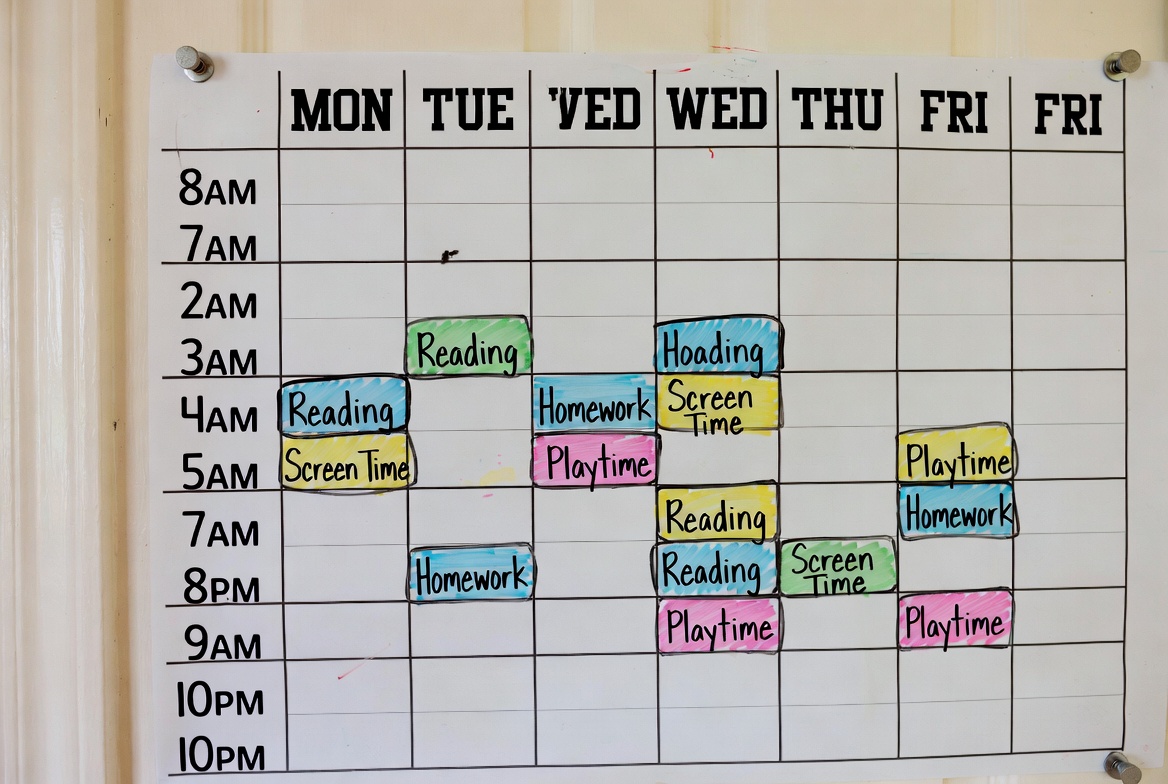
The truth is, screens are not inherently bad. They are tools for education, connection, and creativity. The problem isn't the screen itself, but the unchecked, unstructured consumption that can disrupt sleep, hinder social skills, and impact mental health. The solution isn't about strict bans, which often backfire, but about intentional guidance. In this article, I will provide you with a practical, step-by-step framework to design a sustainable and effective daily screen time schedule for children that works for your unique family.
Why a Structured Approach Beats Arbitrary Limits
Simply setting a one-hour timer is a short-term fix. A schedule, however, is a long-term strategy that teaches children about balance and responsibility. A predictable routine eliminates the daily negotiations and power struggles. When children know that screen time happens after homework and before dinner, it becomes a predictable part of their day, not a prize to be fought over. This structure reduces anxiety and helps children transition between activities more smoothly, fostering a healthier relationship with technology.
Age-by-Age Guidelines for Screen Time
A one-size-fits-all approach does not work for screen time. A toddler's needs and capabilities are vastly different from a teenager's. Here is a breakdown of developmentally appropriate recommendations.
Ages 0-2: The American Academy of Pediatrics (AAP) advises no screen time for children under 18 months, aside from video-chatting. For ages 18-24 months, if you choose to introduce digital media, select high-quality programming and watch it with them to help them understand what they are seeing.
Ages 2-5: Limit screen use to one hour per day of high-quality programming. Co-viewing is still crucial at this stage. Use this time to discuss what you're watching and apply it to the world around them.
Ages 6-12: For school-aged children, consistency is key. Establish clear limits on the amount and type of media. Ensure screen time does not replace adequate sleep, physical activity, and other behaviors essential to health. A balanced daily screen time schedule for children in this age group should prioritize non-screen activities.
Ages 13+: Shift the focus from pure time management to digital citizenship. Teach teenagers about online safety, privacy, and the importance of curating their digital footprint. Encourage them to be creators, not just consumers. While time limits are still important, the conversation should expand to include the quality and impact of their online interactions.
Building Your Family's Daily Screen Time Schedule
Creating a schedule is a collaborative process. Sit down as a family and discuss your values. Here is a sample framework you can adapt.
Screen-Free Zones and Times: Start by defining non-negotiable screen-free periods. These typically include during meals, in the car (for short trips), and at least one hour before bedtime. The blue light from screens can interfere with melatonin production, making it harder to fall asleep.
The "First Things First" Rule: Make non-screen activities a prerequisite for screen time. This means homework, chores, and at least 60 minutes of physical activity must be completed first. This teaches prioritization and ensures a balanced day.
Quality over Quantity: Not all screen time is created equal. Differentiate between passive consumption (like scrolling through social media) and active engagement (like creating digital art, coding, or video-chatting with grandparents). Your schedule can allocate more time for high-quality, educational, or creative uses.
Sample Schedule for a School-Aged Child:
3:30 PM - 4:30 PM: Home from school, snack, and outdoor play/physical activity.
4:30 PM - 5:30 PM: Homework and reading.
5:30 PM - 6:30 PM: Screen time allowance (e.g., educational game or approved show).
6:30 PM onwards: Family dinner (screen-free), followed by family activities, baths, and reading before bed.
The Role of Parental Control Apps in Enforcing the Schedule
As an expert, I believe technology should also be part of the solution. Parental control apps are invaluable tools for taking the emotion out of enforcement and providing peace of mind. They help you consistently uphold the daily screen time schedule for children you've worked hard to create. Here are a few robust options I've reviewed:
mSpy: For Comprehensive Monitoring and Safety
mSpy is a powerful tool for parents who need deep insight into their child's digital world, especially for older children and teenagers navigating social media and messaging apps.

Key Features: Tracks social media activity (Instagram, Snapchat, Facebook), monitors text messages and calls, tracks real-time GPS location, and can set geofences for alerts.
Best For: Parents who are concerned about online safety, cyberbullying, and want a comprehensive overview of their teen's digital communications.
Parentaler: For Straightforward Time and App Management
Parentaler focuses on providing user-friendly controls to manage device usage effectively without being overwhelming.

Key Features: Set daily time limits, block specific apps, schedule device "bedtimes" to lock the phone during study or sleep hours, and view web browsing history.
Best For: Parents of younger children and pre-teens who want a simple, effective way to enforce time limits and block inappropriate content.
Eyezy: For All-in-One Family Management
Eyezy combines a wide array of monitoring and control features in a single dashboard, making it a versatile choice for many families.
Key Features: Monitors a vast range of social media and messaging platforms, includes screen recording, keyword alerts for concerning language, GPS tracking, and easy remote management.
Best For: Families looking for a feature-rich, all-in-one solution that covers both safety monitoring and practical screen time scheduling.
Fostering Open Communication and Digital Literacy
Tools are effective, but they are not a substitute for conversation. Use your family's schedule as a springboard for ongoing discussions about digital wellness. Ask your child what they enjoy about their games or videos. Teach them to be critical of the information they find online. Explain why you have the rules you do—not just "because I said so," but because you want them to be healthy, safe, and well-rounded individuals.
Adapting the Schedule as Your Child Grows
Your approach to a daily screen time schedule for children must be flexible. What works for your 8-year-old will not work for your 13-year-old. Schedule regular "digital check-ins" with your child. Discuss what's working and what isn't. As they demonstrate responsibility, consider granting more autonomy. This gradual release of control prepares them for the time when they will have to manage their own digital lives independently.
Conclusion
Creating a balanced relationship with screens is one of the most important gifts you can give your child in the digital age. It’s not about perfection; it’s about progression. Start with one or two changes—perhaps instituting a screen-free dinner or creating a simple after-school routine. Use the tools available to you, but never underestimate the power of your own engagement and example.
Your family's digital harmony is within reach. Begin today by having a family meeting to draft your first daily screen time schedule. For additional support in consistently upholding these new boundaries, explore how a parental control app can provide the backbone for your plan.
Compare parental control apps and find the right fit for your family here.
Frequently Asked Questions (FAQs)
1. What if my child needs a device for homework?
This is a common challenge. Differentiate between productive and recreational screen time. Use parental control apps to create "profiles" or "schedules" that allow access to educational websites and apps during homework hours while blocking social media and games. Encourage your child to take breaks from the screen during long homework sessions.
2. How do I handle screen time during weekends and holidays?
It's natural for schedules to be more flexible during breaks. Instead of abandoning the rules, create a "weekend schedule." You might allow a longer block of screen time in the morning or afternoon, but still uphold core family rules like screen-free meals and a digital curfew before bed. Balance increased screen time with special family outings or activities.
3. My child constantly argues and negotiates about the limits. What should I do?
Consistency is your most powerful tool. When the rules are clear and consistently enforced by an app or a timer, it removes you from the role of the "enforcer." Refer back to the family schedule you created together. Frame it as the family rule, not your arbitrary decision. This reduces conflict and helps children accept the boundaries more readily.


