The glow of the iPhone screen has become the modern nightlight in children's bedrooms. The constant pull of notifications, games, and social media makes managing your child's device use feel like an endless battle. As a digital parenting consultant with over a decade of experience, I've guided thousands of families through this exact challenge. The single most common question I receive is: "What is the best screen time app for iPhone parents?"
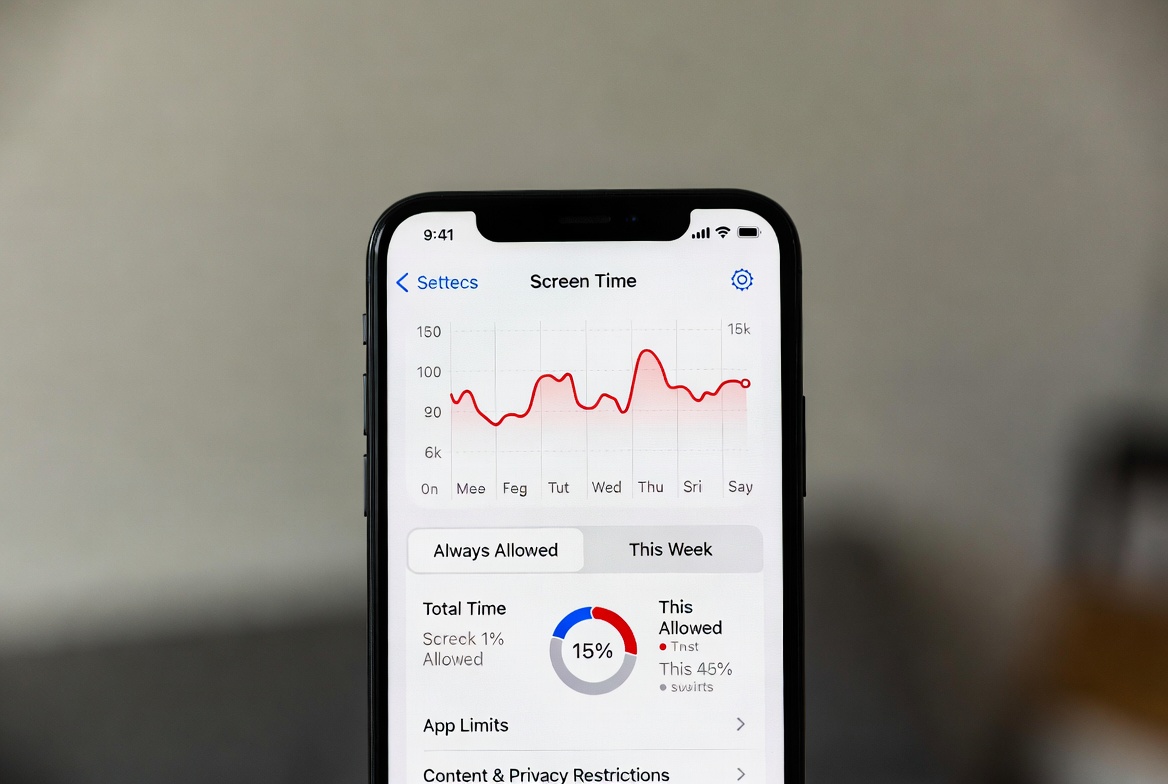
The answer isn't as simple as naming one app. The "best" tool depends entirely on your family's specific needs, your child's age, and the level of oversight you require. Apple's built-in Screen Time is a powerful starting point, but many parents find they need more robust solutions. This comprehensive guide will break down all your options. We will explore Apple's native tools and then dive deep into third-party applications that offer enhanced control and monitoring. My goal is to provide you with the clarity needed to choose the perfect tool to create a healthier digital environment in your home.
Why iPhone Screen Time Management is Crucial
The statistics around children's screen time are sobering. A recent study from the American Academy of Child and Adolescent Psychiatry found that children aged 8-12 now spend an average of 4-6 hours per day on screens, while teenagers spend up to 9 hours. For iPhone-wielding children, this constant connectivity presents real risks:
Sleep Disruption: The blue light from iPhone screens suppresses melatonin production, directly interfering with sleep cycles and quality.
Attention and Academic Impact: The constant switching between apps and notifications fragments attention, making focused homework time increasingly difficult.
Mental Health Concerns: Unmanaged access to social media and online content has been linked to increased rates of anxiety and depression in young people.
Online Safety Threats: From cyberbullying to inappropriate content, the internet presents real dangers that require proactive management.
Finding the best screen time app for iPhone parents is not about spying on your child; it's about providing a digital safety net and teaching healthy habits that will last a lifetime.
Your Built-in First Line of Defense: Apple's Screen Time
Before investing in any third-party application, every iPhone parent must become familiar with Apple's native Screen Time feature. It's a robust, free system integrated directly into the iOS operating system.
Key Features of Apple Screen Time:
Downtime: This is your most powerful tool for creating a "digital curfew." You can schedule a block of time (e.g., 9 PM to 7 AM) where only phone calls and apps you explicitly allow will be available.
App Limits: Set daily time allowances for entire app categories (like "Social Networking" or "Games") or for individual apps. Once the time is up, the app is paused.
Communication Limits: Restrict who your child can communicate with via phone and FaceTime during Downtime and always.
Content & Privacy Restrictions: This section allows you to block inappropriate content, prevent iTunes & App Store purchases, and lock down privacy settings.
The Setup: Navigate to Settings > Screen Time on your child's iPhone. You can configure it directly on their device or, for a more secure setup, manage it remotely from your own iPhone using Family Sharing. This requires your child to request more time or ask for approval, putting you in control.
The Limitations of Apple Screen Time
While Screen Time is an excellent starting point, it has significant limitations that I consistently see frustrate parents. It can be bypassed by a tech-savvy child who knows the device passcode. The reporting is sometimes inconsistent, and it lacks granular insight. You can see how long your child used Instagram, but not what they were doing on it. Furthermore, the controls only apply to Apple devices, leaving Windows laptops or Android tablets unmanaged. This is where dedicated third-party apps fill a critical gap.
Beyond the Basics: Top Third-Party Screen Time Apps
Third-party applications are built specifically for parental control, offering deeper monitoring, enhanced tamper-resistance, and often, cross-platform functionality. For parents seeking the best screen time app for iPhone parents that offers more than Apple provides, here are the top contenders.
mSpy: The Comprehensive Monitoring Solution
mSpy has been an industry leader for years, and it stands out for its depth of features. It is designed for parents who want a complete picture of their child's digital life, not just screen time management.

Key Features for iPhone Parents:
App Blocking: Remotely block any application on the target iPhone at any time, without your child being able to override it.
Screen Time Scheduling: Create precise schedules for when the phone can and cannot be used, offering more flexibility than Apple's Downtime.
Website Filtering: Block access to inappropriate websites and monitor browsing history, even in private mode.
Social Media Monitoring: Track messages, photos, and activity on platforms like Instagram, WhatsApp, Facebook, and Snapchat (features may vary based on iOS restrictions).
Keylogger: See every keystroke typed on the device, helping you identify concerning searches or conversations.
mSpy is the right choice if you need maximum insight and control and are concerned about specific online interactions and content.
Eyezy: User-Friendly Control and Smart Insights
Eyezy focuses on delivering powerful features through an intuitive and clean dashboard. It’s an excellent choice for parents who find other control apps overwhelming.
Key Features for iPhone Parents:
Screen Time Scheduler: Easily create schedules to block the iPhone during homework, family time, or bedtime.
App Blocker: Instantly block any distracting or inappropriate app with a single tap from your parent dashboard.
Magic Alerts: Get notified based on specific keywords being typed or viewed on the iPhone. This is crucial for catching signs of cyberbullying or mental health struggles.
Social Media Viewer: See what is being posted and shared on connected social networks.
Phone Analyzer: Get a clear overview of the device's usage, including most-contacted friends and most-used apps.
Eyezy strikes a perfect balance between powerful control and ease of use, making it a strong candidate for the best screen time app for iPhone parents who want efficiency.
Parentaler: Straightforward and Reliable Management
Parentaler excels at providing core parental control features in a simple, no-fuss package. Its reliability and focus on essentials make it a favorite for many families.
Key Features for iPhone Parents:
Remote Phone Lock: The ultimate "pause" button. Lock the iPhone instantly from your own device, perfect for moments that require immediate attention.
App Usage Control: Block apps individually or set specific time limits for them.
Web Filter: Protect your child from harmful content online with customizable filters.
Location Tracking: Know your child's whereabouts in real-time, adding a layer of physical safety to digital management.
If your primary goal is reliable, straightforward screen time limiting and app blocking without extra complexity, Parentaler is an excellent and dependable choice.
How to Choose the Right App for Your Family
Selecting the right tool requires honest assessment. Ask yourself these questions:
What is my primary concern? Is it total screen time, specific apps, online safety, or all of the above?
How tech-savvy is my child? A determined teenager may require a more robust solution like mSpy, while a younger child might be well-served by Parentaler.
What is my comfort level with technology? Eyezy offers a gentler learning curve for parents new to monitoring apps.
Quick Guide:
For Basic, Free Control: Master Apple's built-in Screen Time.
For Maximum Detail and Oversight: Choose mSpy.
For Ease of Use and Powerful Features: Eyezy is ideal.
For Simple, Reliable App Blocking and Locking: Parentaler gets the job done.
The Human Element: Combining Technology with Conversation
No app, no matter how advanced, can replace open communication. Use these tools to support your parenting, not replace it. Explain to your child why you are using the app. Frame it as a matter of safety and health, not a lack of trust. Set clear expectations and have regular check-ins about their online experiences. This combination of technical boundaries and empathetic conversation is the true secret to success.
Conclusion
The search for the best screen time app for iPhone parents ends with understanding your family's unique needs. You now have a clear comparison of the most effective tools available, from Apple's free Screen Time to powerful third-party options like mSpy, Eyezy, and Parentaler.
Don't let screen time conflicts dominate your family dynamic. You have the power to create a healthier balance. Choose the solution that fits your situation, implement it this week, and start enjoying more focused, present, and connected family time.
Frequently Asked Questions (FAQs)
1. Can my child disable these screen time apps?
Apple's Screen Time can be disabled if your child knows the device passcode. Dedicated third-party apps like mSpy, Eyezy, and Parentaler are designed to be much more tamper-resistant. They often run in stealth mode and will send an alert to the parent's device if the app is removed or disabled.
2. Do these apps work if my child uses a VPN?
A VPN can sometimes interfere with the functionality of parental control apps, particularly for web filtering and location tracking. However, app blocking and screen time scheduling features that are installed directly on the device typically continue to work. It's important to discuss the use of VPNs with your child as part of your family media agreement.
3. Will using these apps slow down my child's iPhone?
Modern parental control apps are designed to have a minimal impact on device performance. You might notice a slight effect on battery life, as with any background application, but it should not significantly slow down the phone's operation. The benefits of oversight and safety far outweigh this minor potential drawback.


