For over a decade, I’ve worked with families navigating the complex digital world. I’ve seen the relief on a parent's face when a conflict is resolved, and I’ve also witnessed the sheer exhaustion that comes from daily battles over tablets, phones, and gaming consoles. If you find yourself constantly negotiating, worrying, or feeling guilty about your children's screen use, you are not alone.
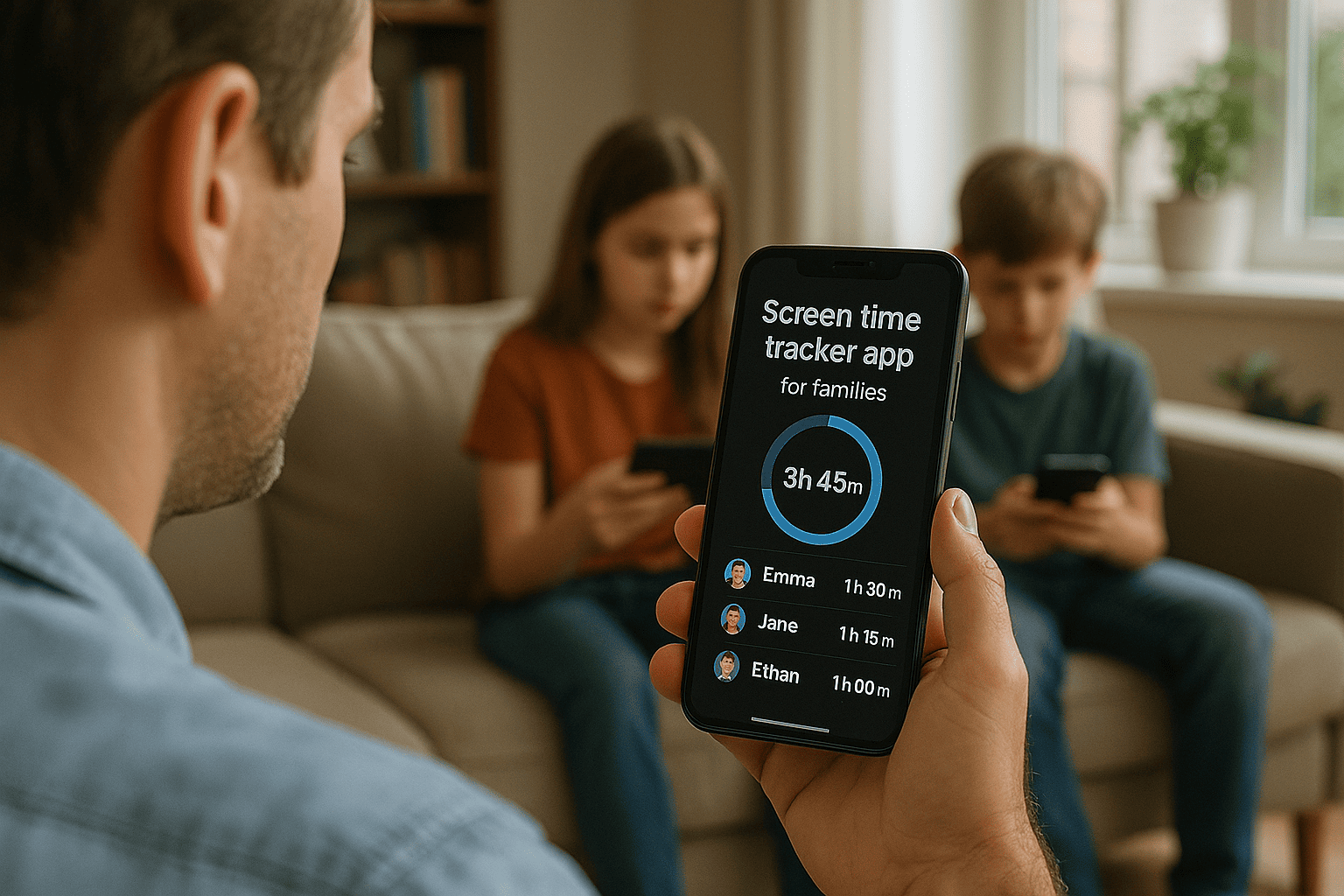
The question has evolved from "Should I limit screen time?" to "How can I manage it effectively without turning every day into a power struggle?" The answer, for countless families I've advised, lies in a strategic tool: a robust screen time tracker app for families. This isn't about spying or enforcing draconian limits. It's about creating structure, fostering open communication, and teaching digital responsibility. This article will guide you through the essential features, introduce you to top-tier options, and show you how to integrate a tracker seamlessly into your family's life for lasting peace of mind.
Why a Dedicated Tracker Beats Built-in Phone Settings
Most smartphones come with basic screen time monitoring features. So, why invest in a dedicated screen time tracker app for families? The difference is between simply observing a problem and actively managing it.
Built-in settings are often easy for children to bypass or disable. They typically lack granular control, remote management, and the depth of oversight that dedicated apps provide. A specialized family tracker acts as a consistent, neutral third party. It removes you from the role of the constant enforcer and provides concrete data that can inform your family's digital rules. These apps offer a comprehensive suite of tools designed not just to limit, but to educate and protect.
Key Features to Look For in a Family Screen Time Tracker
Not all tracker apps are created equal. When evaluating your options, look for these essential features that I’ve found to be most impactful in my practice:
Reliable Time Limits & Scheduling: The cornerstone of any tracker. You should be able to set daily time allowances for the entire device or for specific apps. Look for "downtime" or "bedtime" scheduling that automatically locks the device during study hours, meals, and sleep.
App Blocking & Filtering: The ability to block inappropriate apps or games entirely is crucial. Even better are apps that allow you to filter web content, preventing access to adult or harmful websites.
Remote Management: A quality screen time tracker app for families allows you to adjust settings, pause the internet, or grant extra time directly from your own phone, no matter where you are. This is invaluable for managing screen time at a grandparent's house or when routines change.
Location Tracking & Geofencing: For families with older children, safety is a primary concern. GPS location tracking provides peace of mind. Geofencing alerts you when your child arrives at or leaves a designated place like school or a friend's house.
Social Media & Message Monitoring: For teenagers, understanding their digital social world is part of keeping them safe. Some trackers offer features to monitor activity on popular social media platforms and messaging apps for signs of cyberbullying or inappropriate contact.
In-Depth Review: Top Screen Time Tracker Apps for Modern Families
Based on extensive analysis and feedback from the families I work with, here are three powerful applications that excel in different areas.
1. mSpy: For Comprehensive Safety and Oversight
mSpy is one of the most feature-rich monitoring tools available. It is designed for parents who need a deep understanding of their child's digital footprint, particularly as they grow into the complex world of social media and constant communication.
Key Features: Goes beyond screen time to offer robust social media monitoring (including Instagram, Snapchat, and WhatsApp), SMS and call tracking, keylogger functionality, and real-time GPS location. It provides a full picture of how a device is being used.
Best For: Parents of teenagers who are ready for smartphones but require a higher level of oversight to ensure their safety from online risks.
2. Parentaler: For Straightforward, User-Friendly Control
If your primary goal is to manage time and app access without an overwhelming number of features, Parentaler is an excellent choice. Its strength lies in its simplicity and effectiveness.

. Key Features: Focuses on core controls like setting daily screen time limits, scheduling device lock-down during specific hours, blocking individual apps, and monitoring web browsing history. The interface is clean and intuitive.
Best For: Families with younger children and pre-teens who need a straightforward solution to enforce balanced screen time habits and block inappropriate content.
3. Eyezy: The All-in-One Family Management Suite
Eyezy strikes a powerful balance by combining a wide array of monitoring tools with practical screen time management features. It’s a versatile solution for families who want it all in one dashboard.

Key Features: Offers social media and message monitoring across numerous platforms, screen recording, keyword alerts that notify you of concerning language, GPS tracking, and easy-to-use time management tools.
Best For: Families seeking a comprehensive solution that covers both the safety aspects of their child's digital life and the practical need for managing daily screen time limits.
How to Successfully Implement a Tracker in Your Home
Introducing a tracker effectively is as important as choosing the right one. Here is a step-by-step strategy I’ve refined over the years:
Have an Open Family Conversation: Frame the app as a tool for the whole family's benefit, not a punishment. Explain that its purpose is to help everyone develop healthy habits, ensure safety, and reduce arguments.
Set Clear, Collaborative Rules: Work with your children to establish the screen time rules. How much time is fair? When should devices be off-limits? When they are involved in the process, they are more likely to buy into the system.
Install and Configure the App Together: For older children, be transparent about the installation. Show them how the app works and what you will be able to see. This builds trust rather than secrecy.
Use Data, Not Emotion: When a limit is reached and the device locks, the app is the enforcer, not you. This neutralizes conflicts. Use the app's reports to have calm discussions about usage patterns.
Review and Adjust: Digital needs change. Schedule a monthly "family tech check-in" to discuss what's working and what isn't, and adjust the settings in your screen time tracker app for families accordingly.
Balancing Monitoring with Trust and Communication
A tracker app is a powerful tool, but it is not a substitute for your relationship with your child. It should be part of a broader strategy that includes education and open dialogue. Use the insights from the app to start conversations. "I noticed you spent a lot of time on that game, what do you enjoy about it?" or "Let's talk about how to handle a request from a stranger online."
The goal is to gradually transfer the responsibility of managing screen time from the app and you to your child. As they demonstrate maturity and understanding, you can loosen the restrictions, empowering them to self-regulate—a crucial skill for adulthood.
Conclusion
Managing your family's digital life doesn't have to be a source of daily stress. By choosing the right screen time tracker app for families, you can move from reactive conflict to proactive management. You will gain peace of mind, your children will learn valuable lessons in digital citizenship, and your home can regain a sense of balance.
The path to digital harmony is a journey, and the best time to start is now. Assess your family's needs, explore the options, and take control.
Frequently Asked Questions (FAQs)
1. Will my child know the tracker app is installed?
This depends on the app and your approach. Some apps can run discreetly, while others are designed to be visible. For trust-building, I strongly recommend being transparent with school-aged children and teenagers about the app's presence and purpose. For older teens, a visible app can serve as a mutual agreement for device use.
2. Can these apps be used on multiple devices?
Yes, most premium family tracker apps allow you to manage multiple children's devices from a single parent dashboard. Be sure to check the specific subscription plans for each service to see how many devices are covered.
3. What if my child finds a way to bypass the app?
Reputable tracker apps are constantly updated to prevent bypassing. However, no system is entirely foolproof. This is why the combination of technology and communication is key. If a child is actively trying to circumvent the rules, it signals a need for a deeper conversation about responsibility and the consequences of violating digital trust, rather than just a technical fix.


